Burp Suite 2020.12.1 Professional Installation
Preface
More than three years have passed since this article was written, and many related activation resources now have bugs. The resource link is updated here. The latest tutorial has already been exported as a PDF and included inside the archive; just download and extract it.
Download link: https://www.123pan.com/s/LPX9-ktD5v.html Extraction code: osoX
Burp Suite is an integrated penetration testing tool with many features. Burp Suite is written in Java, so installation and use require a Java environment. The following briefly introduces its installation process.
Setup Process
- First extract the resource provided above and create a CMD script named
Burp Suite.cmd.
bash
java.exe -noverify -javaagent:BurpSuiteLoader.jar -jar burpsuite_pro_v2020.12.1.jar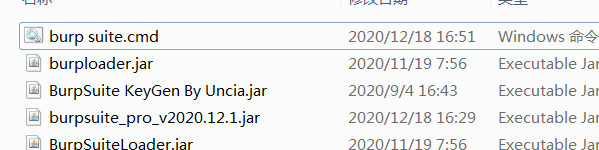
- Double-click the
Burp Suite.cmdscript to run it. After opening, it prompts for a key.
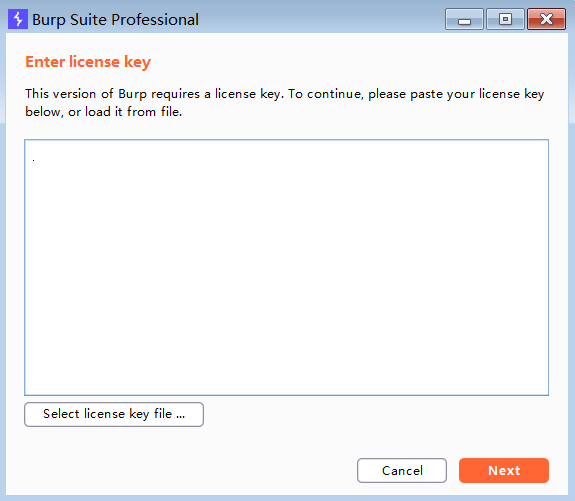
- Return to the directory and double-click
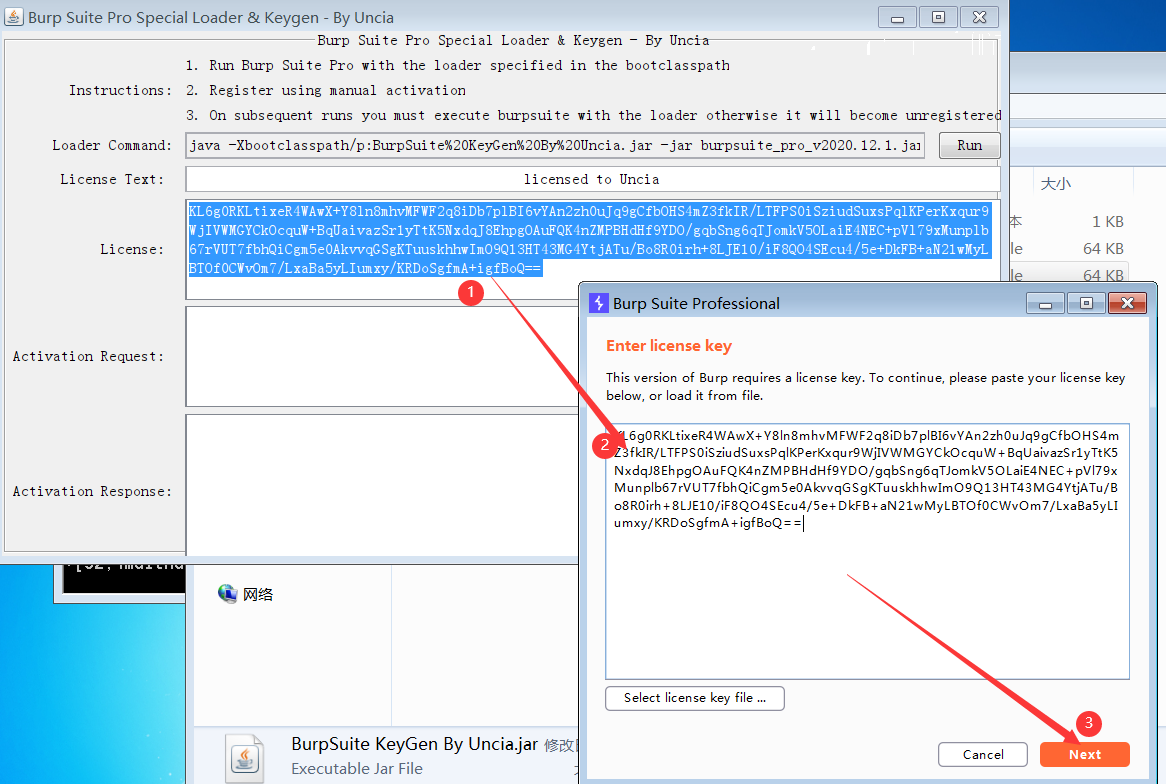
BurpSuite KeyGen By Uncia.jar. Copy the code inlicense(right-click copy will not work here; use Ctrl+C/V), paste it into Burp Suite's key field, and click Next.
- Click Manual activation.
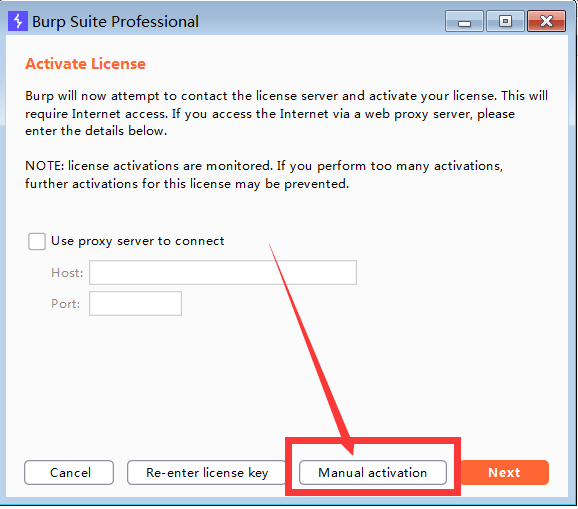
- Click copy request to copy the request key.

- Paste it into the second window of the Burp Suite key generator. It will automatically generate a key in the third window.
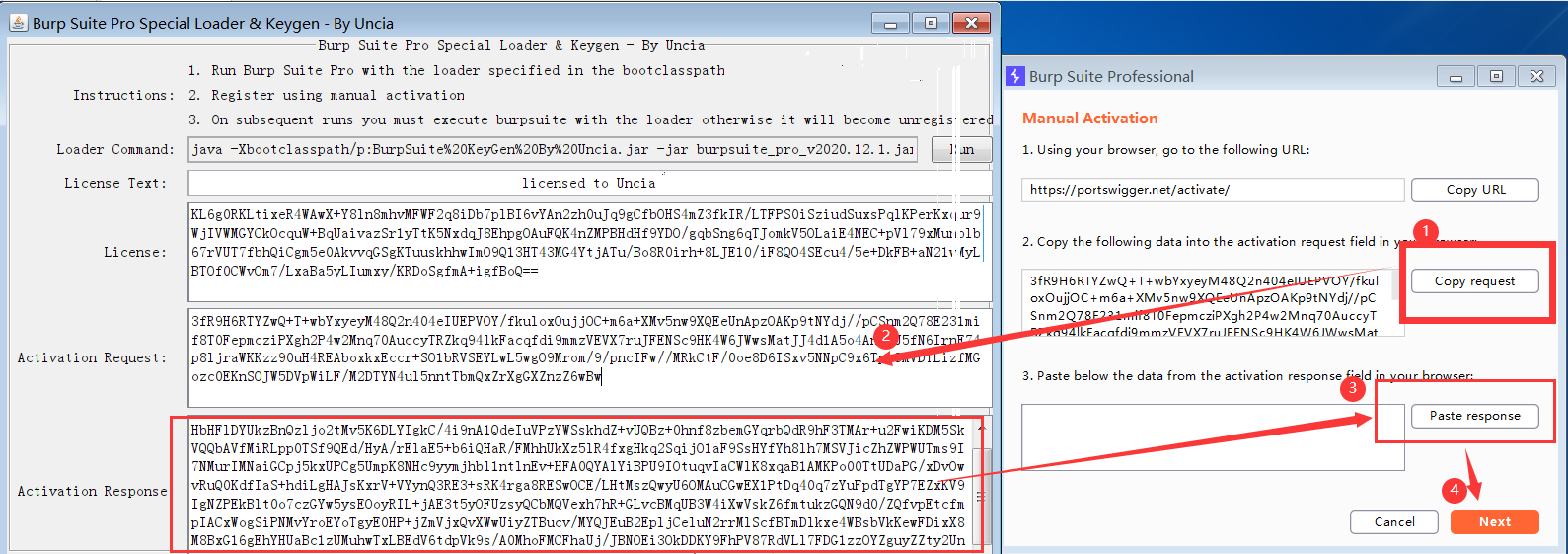
- Copy the key generated in the third window into the third window in Burp Suite, then click Next.
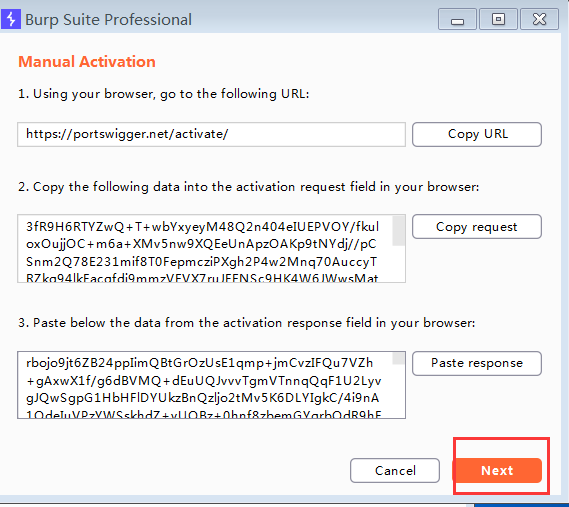
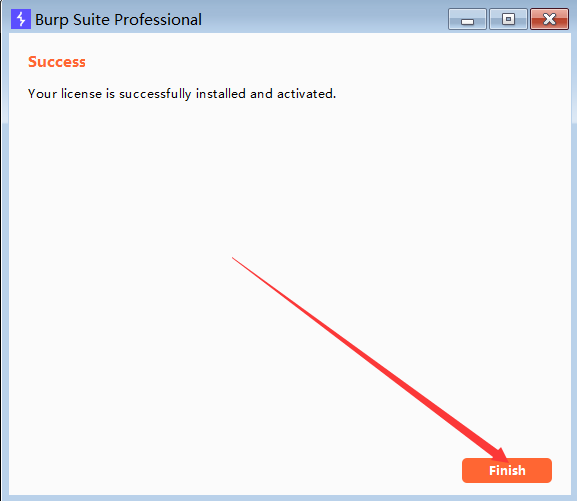
- Finally click Finish to complete the process.
- A command window appears every time it runs, which is not very elegant, so create a small wrapper script for post-processing.
bash
set shell = wscript.createobject("wscript.shell")
a = shell.run("""burp suite.cmd""",0)
- Later, just double-click this script to run it. You can also create a desktop shortcut and change the icon for a cleaner and more convenient setup.