AWVS Installation
Acunetix Web Vulnerability Scanner (AWVS) is a classic commercial vulnerability scanning tool.
Download Links
The tools in this article are all from Pwn3rzs's channel. Respect to the predecessor for sharing resources selflessly. For later updates, refer directly to the channel.
Channel: https://t.me/Pwn3rzs
Windows:
https://ponies.cloud/scanner_web/acunetix/Acunetix-v24.4.240514098-Windows-Pwn3rzs-CyberArsenal.rar
Linux:
https://ponies.cloud/scanner_web/acunetix/Acunetix-v24.4.240514098-Linux-Pwn3rzs-CyberArsenal.7z
Password: Pwn3rzs
Installation
Windows
Install by clicking through the installer.
Activation process:
- Add the following content to
C:\Windows\System32\drivers\etc\hosts.
127.0.0.1  erp.acunetix.com
127.0.0.1  erp.acunetix.com.
::1  erp.acunetix.com
::1  erp.acunetix.com.

192.178.49.174  telemetry.invicti.com
192.178.49.174  telemetry.invicti.com.
2607:f8b0:402a:80a::200e  telemetry.invicti.com
2607:f8b0:402a:80a::200e  telemetry.invicti.com.
Use the
wvsc.exefile from the folder to overwrite the file with the same name underC:\Program Files (x86)\Acunetix\24.4.240514098\.Delete all files under
C:\ProgramData\Acunetix\shared\license\.Move
license_info.jsonandwa_data.datfrom the folder intoC:\ProgramData\Acunetix\shared\license, replacing the files with the same names. Select both files and set their permissions to read-only.
Restart the computer, then start AWVS to complete the process.
Linux
- Add the following content to
/etc/hosts.
127.0.0.1 erp.acunetix.com
127.0.0.1 erp.acunetix.com.
::1 erp.acunetix.com
::1 erp.acunetix.com.

192.178.49.174 telemetry.invicti.com
192.178.49.174 telemetry.invicti.com.
2607:f8b0:402a:80a::200e telemetry.invicti.com
2607:f8b0:402a:80a::200e telemetry.invicti.com.- Run the shell script to install.
sudo bash acunetix_xxxxx.sh- After installation, stop the service with the following command:
sudo systemctl stop acunetix- Replace the
wvscfile.
sudo cp wvsc /home/acunetix/.acunetix/v_240514098/scanner/wvsc

sudo chown acunetix:acunetix /home/acunetix/.acunetix/v_240514098/scanner/wvsc

sudo chmod +x /home/acunetix/.acunetix/v_240514098/scanner/wvsc- Add the license files.
Be careful when copying and pasting; a mistake may damage the entire operating system.
sudo cp license_info.json /home/acunetix/.acunetix/data/license/
sudo cp wa_data.dat /home/acunetix/.acunetix/data/license/
sudo chown acunetix:acunetix /home/acunetix/.acunetix/data/license/license_info.json
sudo chown acunetix:acunetix /home/acunetix/.acunetix/data/license/wa_data.dat
sudo chmod 444 /home/acunetix/.acunetix/data/license/license_info.json
sudo chmod 444 /home/acunetix/.acunetix/data/license/wa_data.dat
sudo chattr +i /home/acunetix/.acunetix/data/license/license_info.json
sudo chattr +i /home/acunetix/.acunetix/data/license/wa_data.dat- Restart Acunetix.
sudo systemctl start acunetix- Log in to the application again and it should be ready to use.
macOS
For Linux and macOS, Docker installation is recommended.
The x86 image can also run on M-series chips.
Pull the image:
docker pull quay.io/hiepnv/acunetix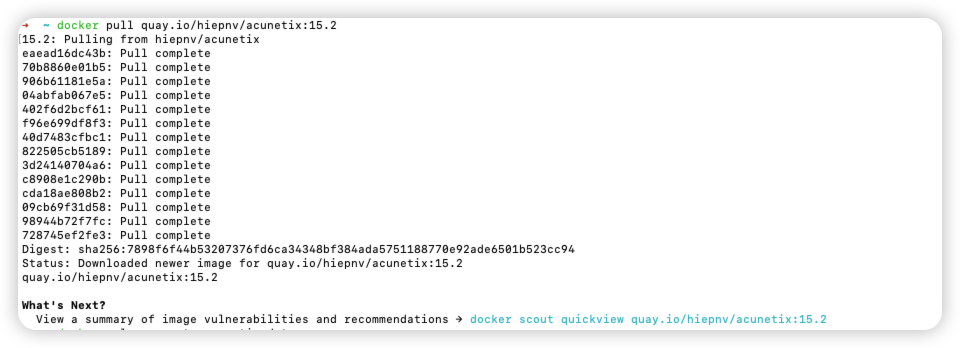
Setup and activation:
docker volume create acunetix_datadocker run -d -p 3443:3443 --restart=unless-stopped --name=acunetix_web quay.io/hiepnv/acunetix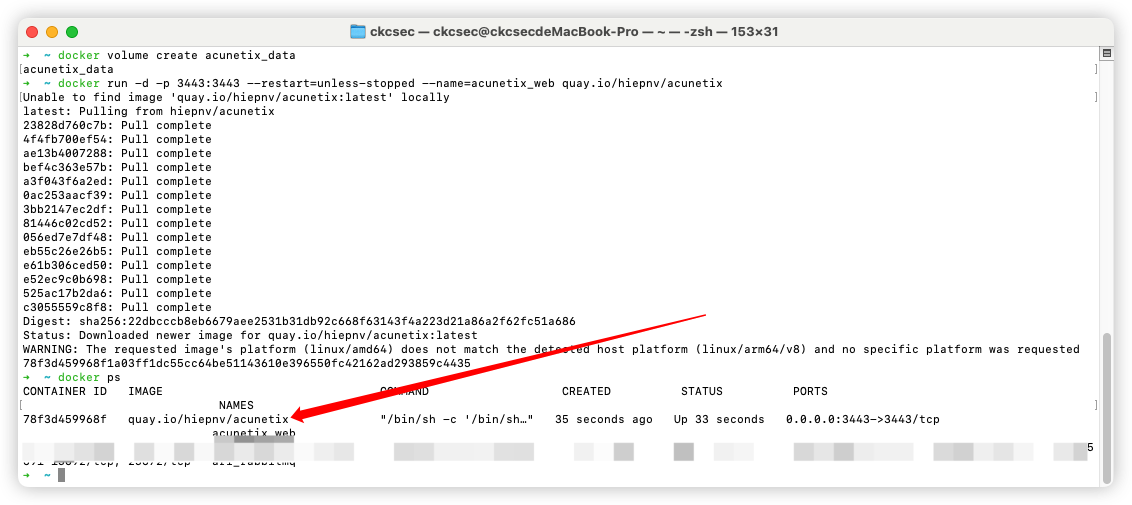
Login Information
Visit:
Username: admin@acu.com
Password: Passw0rd!