Weak Password Vulnerabilities
A weak password vulnerability means that an application's account credentials are too simple and can be easily guessed or cracked. In offensive and defensive drills, apart from 0-days and phishing, weak passwords are often the thing that reduces the pressure the most. Weak passwords are still painfully common.
Common Weak Passwords
Databases
Account: root
Passwords: root, root123, 123456
Tomcat
Accounts: admin, tomcat, manager
Passwords: admin, tomcat, admin123, 123456, manager
JBoss
Accounts: admin, jboss, manager
Passwords: admin, jboss, manager, 123456
WebLogic
Accounts: weblogic, admin, manager
Passwords: weblogic, admin, manager, 123456
Conditional Weak Passwords
Name + birthday
Mobile phone number
And similar patterns.
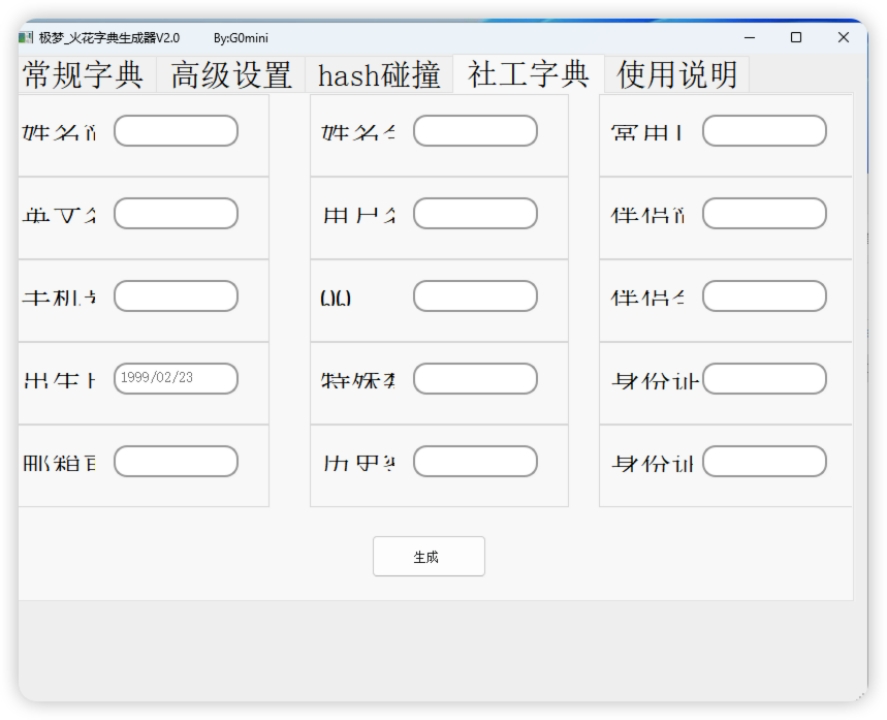
Brute-Force Tools
Burp Suite
Burp has a built-in brute-force module, Intruder, which can be used for password attacks.

The following example uses the DVWA lab to demonstrate Burp brute forcing.
Enter any credentials, attempt to log in, and enable proxy interception.
Enable the browser proxy plugin FoxyProxy and set the proxy to 127.0.0.1:8080 (Burp's default proxy port; add it if it does not exist).

Capture the packet.

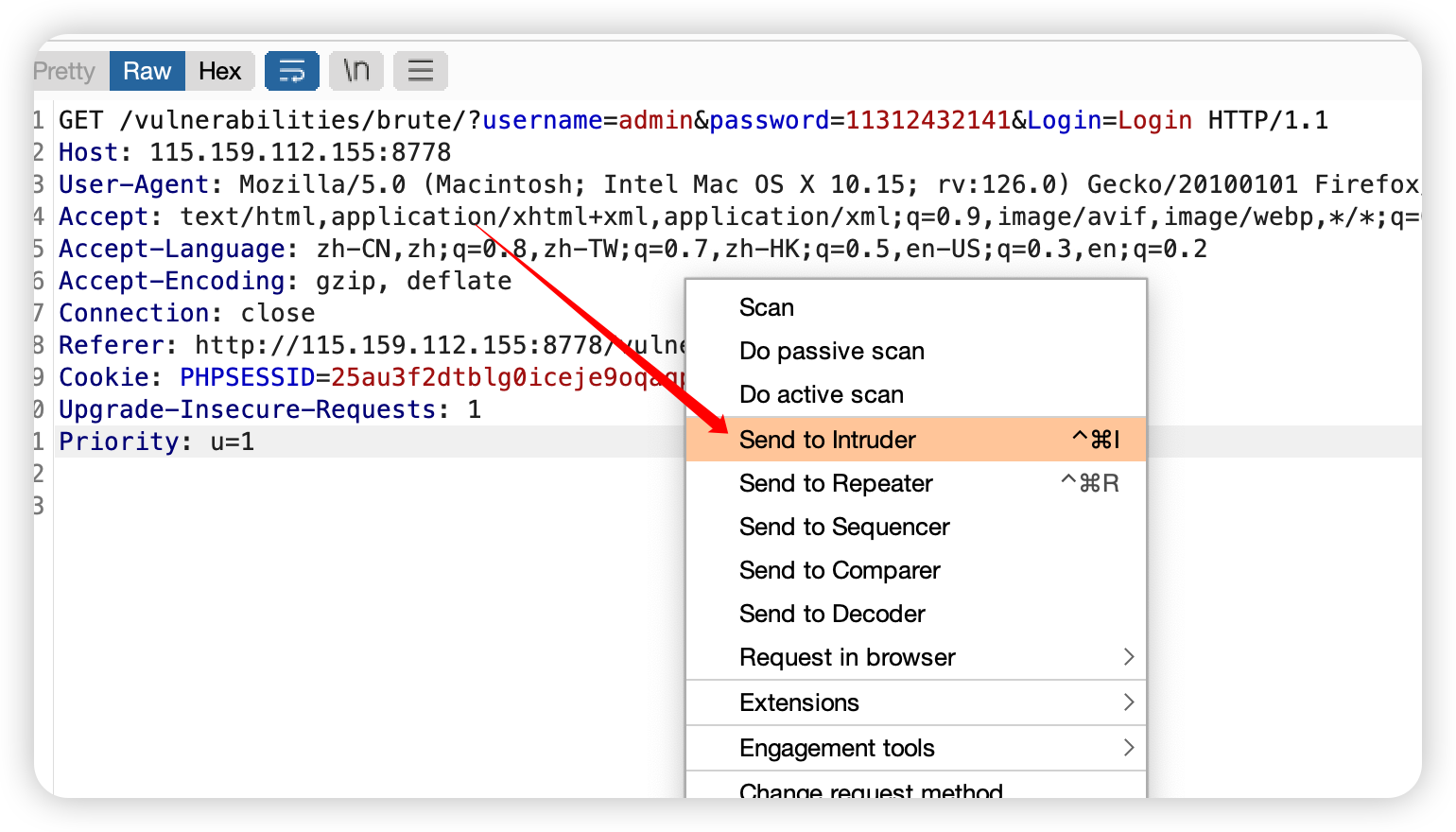
Right-click and send the packet to Burp's brute-force module, Intruder.
Intruder automatically wraps all variable positions with $$.
Click Clear $ to remove the $$ markers from variables, because in this case only the password needs to be brute-forced and the other fields are fixed.

After clearing them, add $$ markers only to the parameter you want to brute-force by clicking Add $.

After confirming the variable, select the attack type.
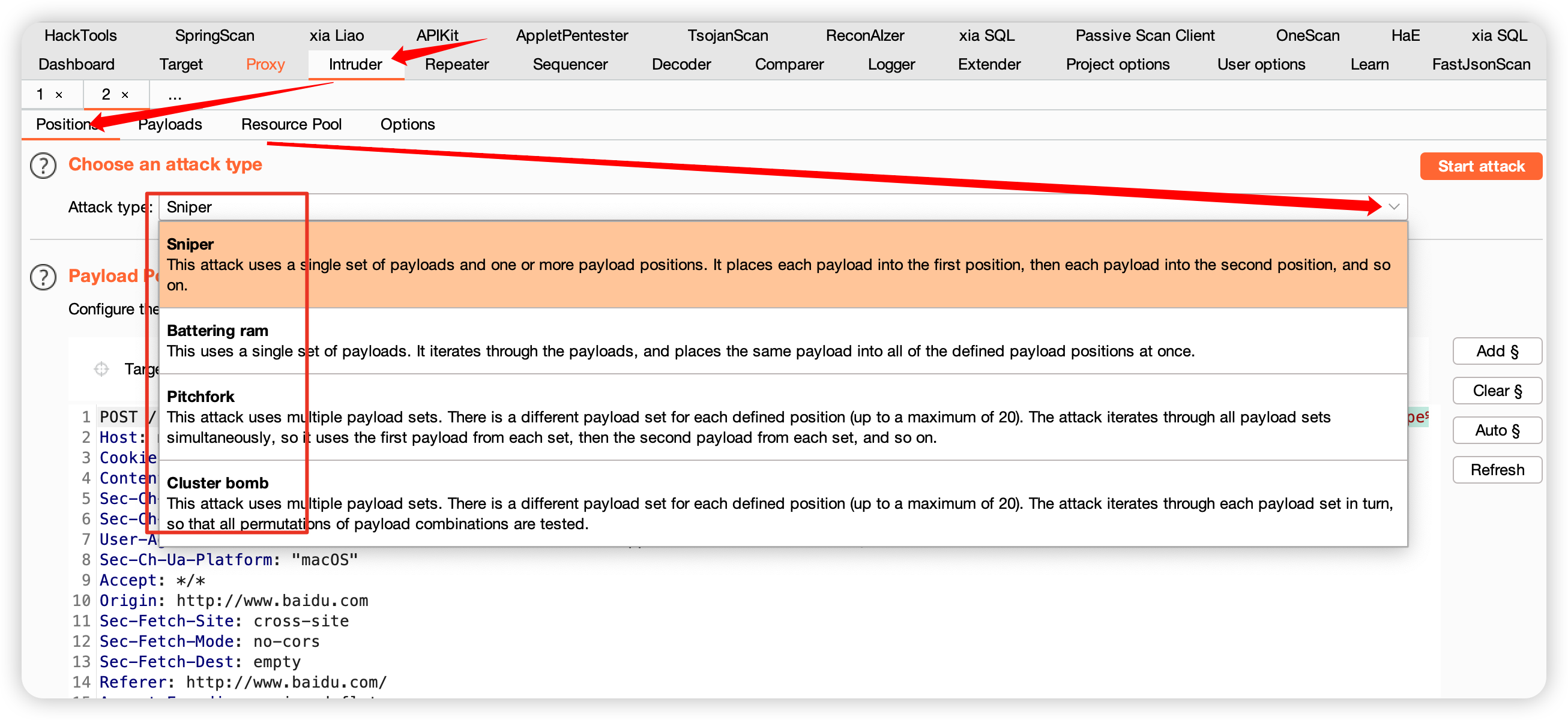
The four modes are Sniper, Battering ram, Pitchfork, and Cluster bomb (recommended).
Sniper
Sniper is a commonly used mode. It iterates through the dictionary for one selected parameter at a time, replacing and testing each value.
Battering ram
Unlike Sniper, Battering ram uses one payload list and applies the same payload to multiple parameters at the same time.
Pitchfork
Pitchfork uses multiple dictionaries simultaneously. It is somewhat similar to Battering ram, but Battering ram is like multiple people running on the same track, while Pitchfork gives each person a separate track. If both dictionaries contain seven lines, the attack runs seven times. If their lengths differ, the shorter dictionary determines the number of requests. When configuring two dictionaries, make sure they are not the same, otherwise the result is essentially the same as Battering ram.
Cluster bomb (recommended for brute forcing)
The first three modes are limited in the scenarios they can cover. Cluster bomb combines the capabilities of the previous modes by trying every combination and not missing possible cases. With very large dictionaries, computing resources limit how practical Cluster bomb is. As long as there is enough computing power, cracking the password is only a matter of coverage.
For multiple parameters, this mode performs a Cartesian product across multiple payload lists and positions. Every password in one payload list is combined with every password in another payload list.
For example:
pl1: 1, 2, 3
pl2: 4, 5, 6
The first attempt is 1, 4.
The second attempt is 1, 5.
And so on:
1, 6
2, 4
2, 5...
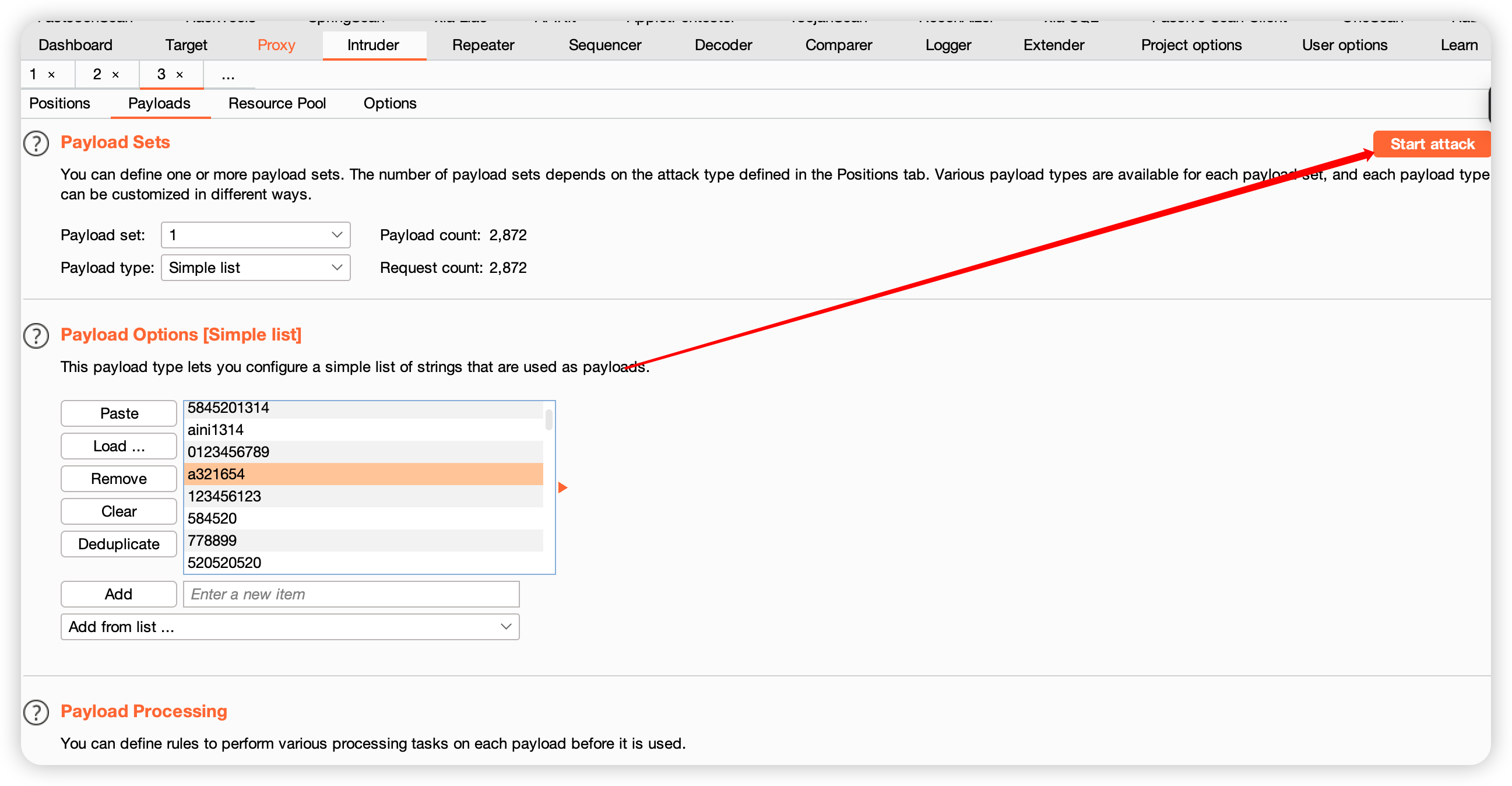
After selecting the mode, click Payloads to configure the attack fields and the dictionaries used for iteration.
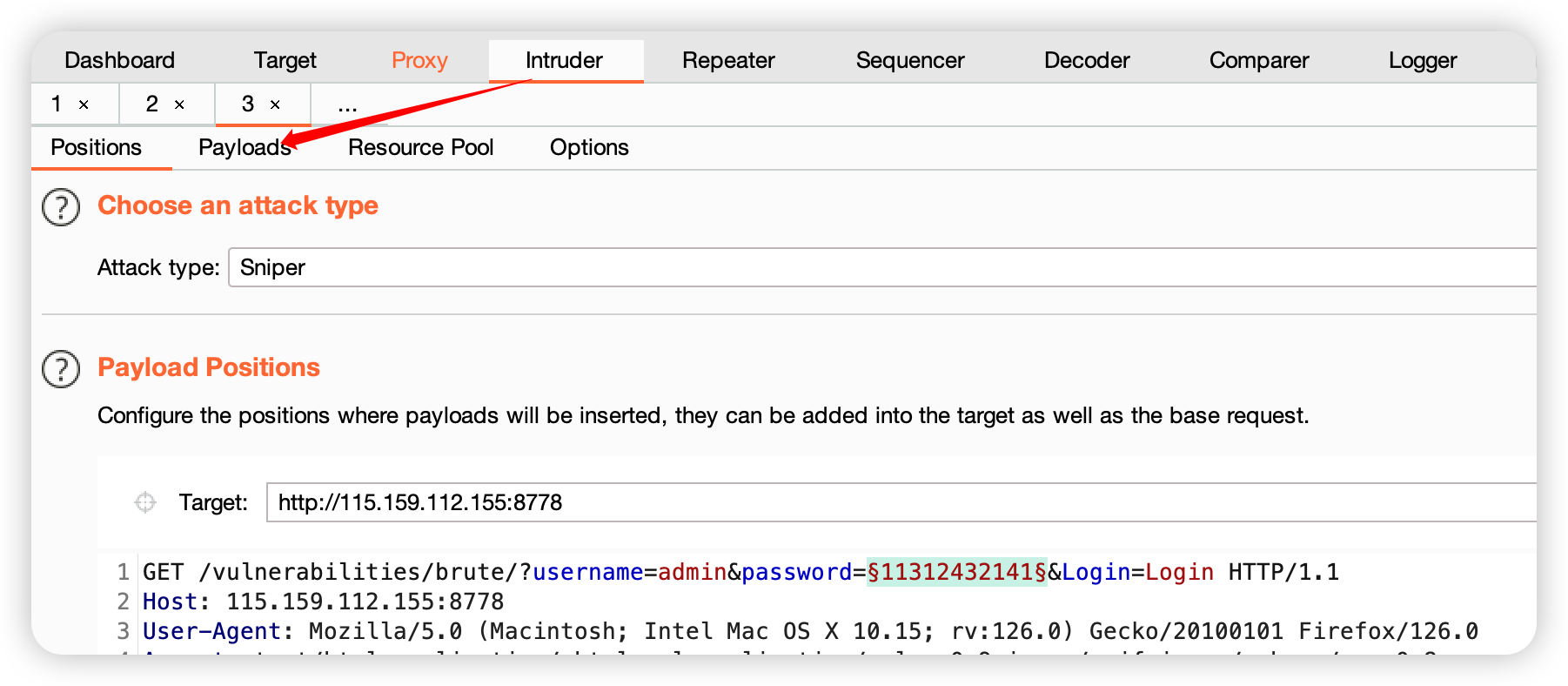
Click Load to load a custom dictionary.

Select the dictionary.

Click Start attack to begin brute forcing.
After the attack starts, a result window appears. Sort by length or status to quickly locate the correct password or parameter.

Hydra
Common parameters
-l  Specify a username

-L  Specify a username dictionary

-p  Specify a password

-P  Specify a password dictionary

-vV  Show brute-force details

-o  Save brute-force results

-t  Threads. The default is 16

Note: if the thread count is too high, Hydra may crash.

-e nsr

The three options under -e:

n means null -- try an empty password

s means same -- try the username as the password

r means reverse -- reverse the username, for example root becomes toor
Usage examples
Known username, brute-force the password
hydra -l admin -P password_dictionary_path ssh://server_ip
hydra -l admin -P password_dictionary_path rdp://192.168.100.622
Known password, brute-force the username
hydra -L username_dictionary -p password rdp://server_ipUnknown username and unknown password
hydra -L username_dictionary -P password_dictionary_path rdp://server_ipYakit
Official website
Interface:

Dictionaries
Fuzz_dic
https://github.com/7hang/Fuzz_dic
Pentest_Dic
https://github.com/cwkiller/Pentest_Dic
PentesterSpecialDict