Proxy Pool-Based
When using servers for penetration testing and similar attack workflows in daily work, it is very easy to be traced back. Therefore, we need to hide the traffic generated by our operations.
- Acquire compromised hosts (this was already mentioned in previous foothold articles, so I will not repeat it here)
- Buy proxies / use free proxy pools
- Cloud functions
Buying Proxies / Using Free Proxy Pools
Only a few simple recommendations are listed here.
https://www.bright.cn/ (relatively expensive, but the price has its reasons)
Related tutorial: https://www.cnblogs.com/jhao/p/15611785.html
https://www.kuaidaili.com/ (relatively expensive, but the price has its reasons)
https://www.feiyuip.com/ (relatively expensive, but the price has its reasons)
https://http.py.cn/ (cheap, but it feels a little prone to timeouts)
How Do You Use a Proxy Pool?
Use a Python script to automatically generate a Clash configuration file, so FUZZ traffic can automatically switch IPs.
These days blue-team defenses block IPs too quickly. Thinking back to the days when I used Burp for brute forcing and got IPs blocked makes me want to cry.
Based on this project:
https://github.com/Mustard404/Auto_proxy?tab=readme-ov-file
First, generate an API proxy endpoint at the proxy provider. Here, http.py.cn is used as an example.

Configure the configuration file.
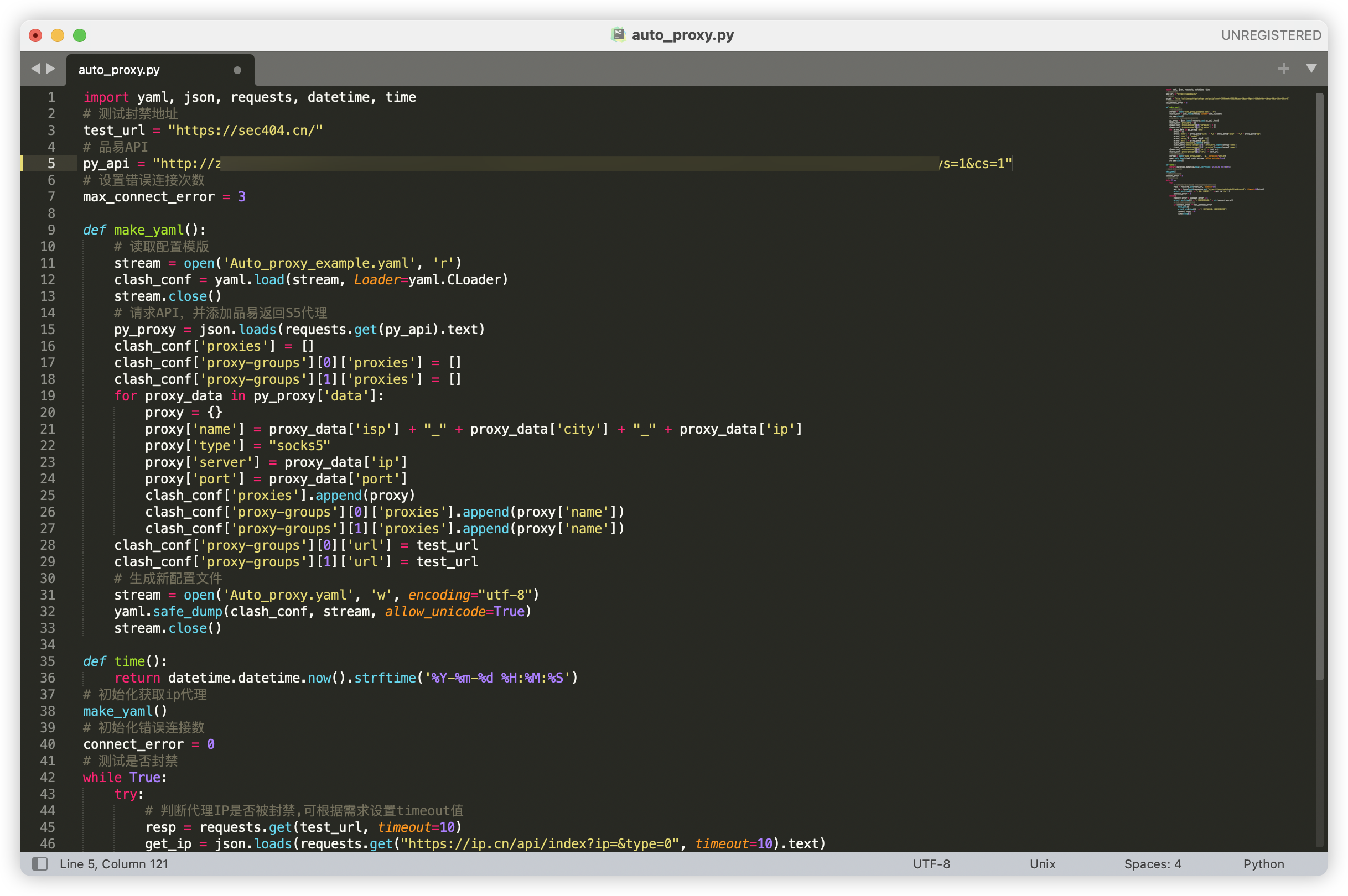
Run python3 Auto_proxy.py in the Clash directory. It will generate an Auto_proxy.yaml file. After generation, select Auto_proxy as the configuration in Clash.
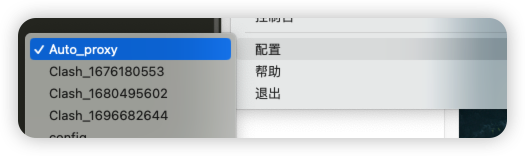
Clash must be set to global mode, and the system proxy must also be enabled. The script currently supports two rules:
- Acceleration mode: selects the proxy with the lowest latency according to the monitored website.
- Load mode: randomly chooses one proxy for each request.
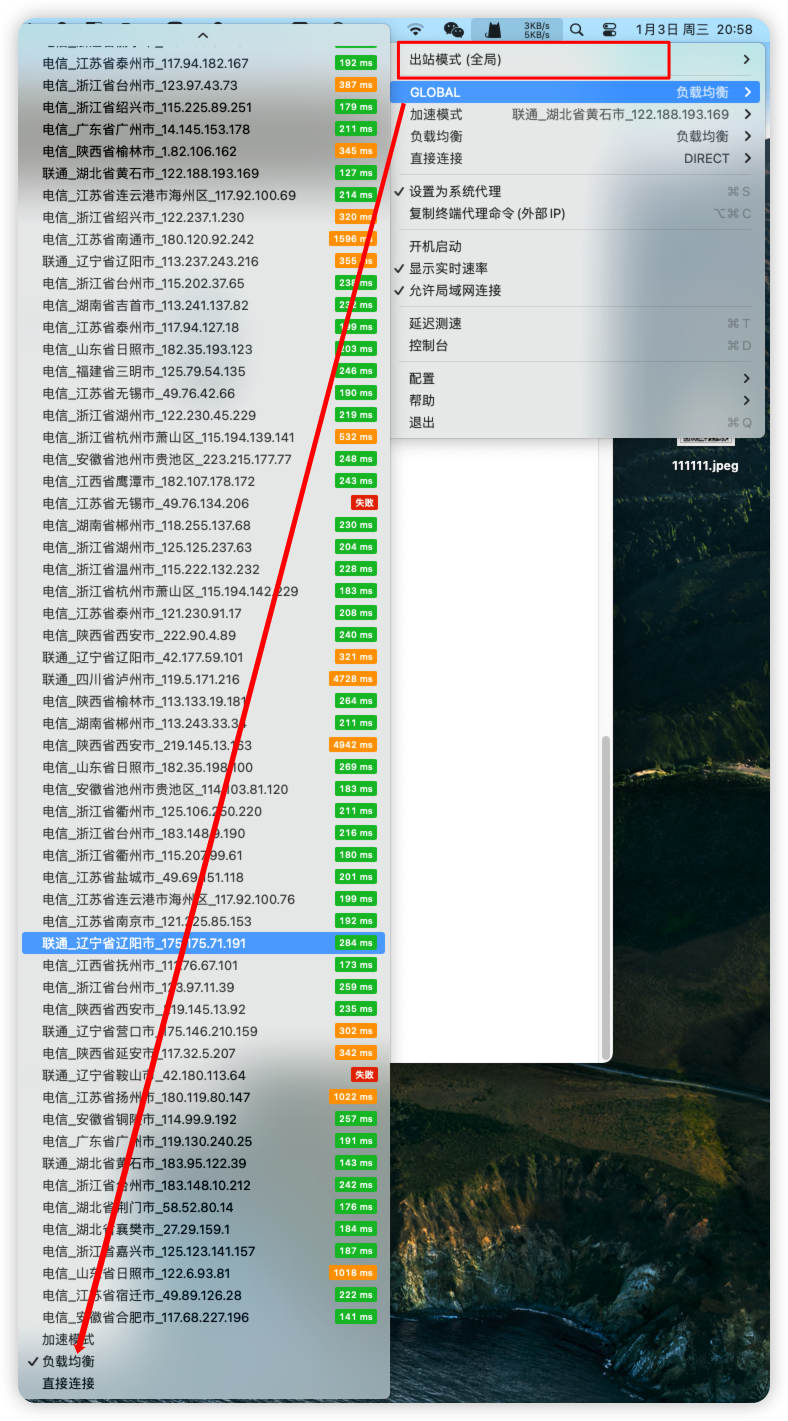
Runtime effect in load mode:

Usage effect: dozens of IPs brute-forcing directories at the same time. Tell me that would not make you nervous!
